One scanner, one shared record, and cases that tell you what’s missing — while there’s still time to fix it.
Step through the loop the way your team lives it. Pick any step — nothing auto-advances.
Step 01 — Case scheduled
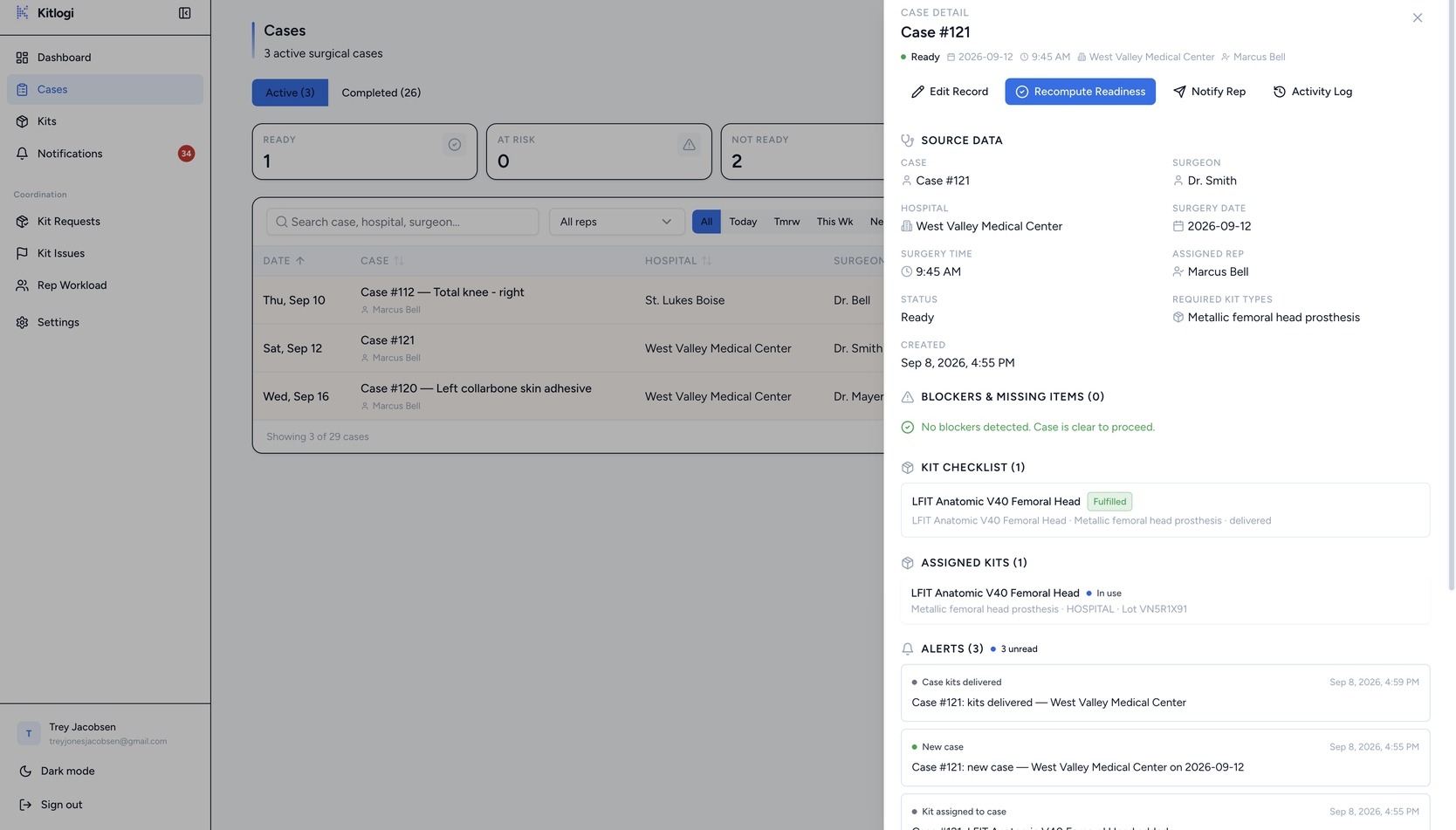
The office creates the case with its date, surgeon, hospital, and the kit types the procedure requires.
Swipe to pan · tap to enlarge
Assignment is a real state change: the kit’s owner, location, and status all move with it, and the case immediately knows it has coverage on the way.
Step 03 — Rep scans the UDI
In the warehouse, the car, or the hospital hallway, the rep points a phone at the kit’s barcode.
Stryker GmbH · Intramedullary Arthrodesis Implant
From FDA database (AccessGUDID)
Works offline. The rep app installs as a PWA, so a scan in a basement isn’t lost when the signal is.
The scanner reads GS1 UDI barcodes. No sled, no scanner gun, and no typing a 14-digit serial into a spreadsheet.
Step 04 — The scan becomes the request
Device, model, lot, and expiration are captured from that one scan and checked against the FDA device database — then the rep requests the kit for the case from the same screen.
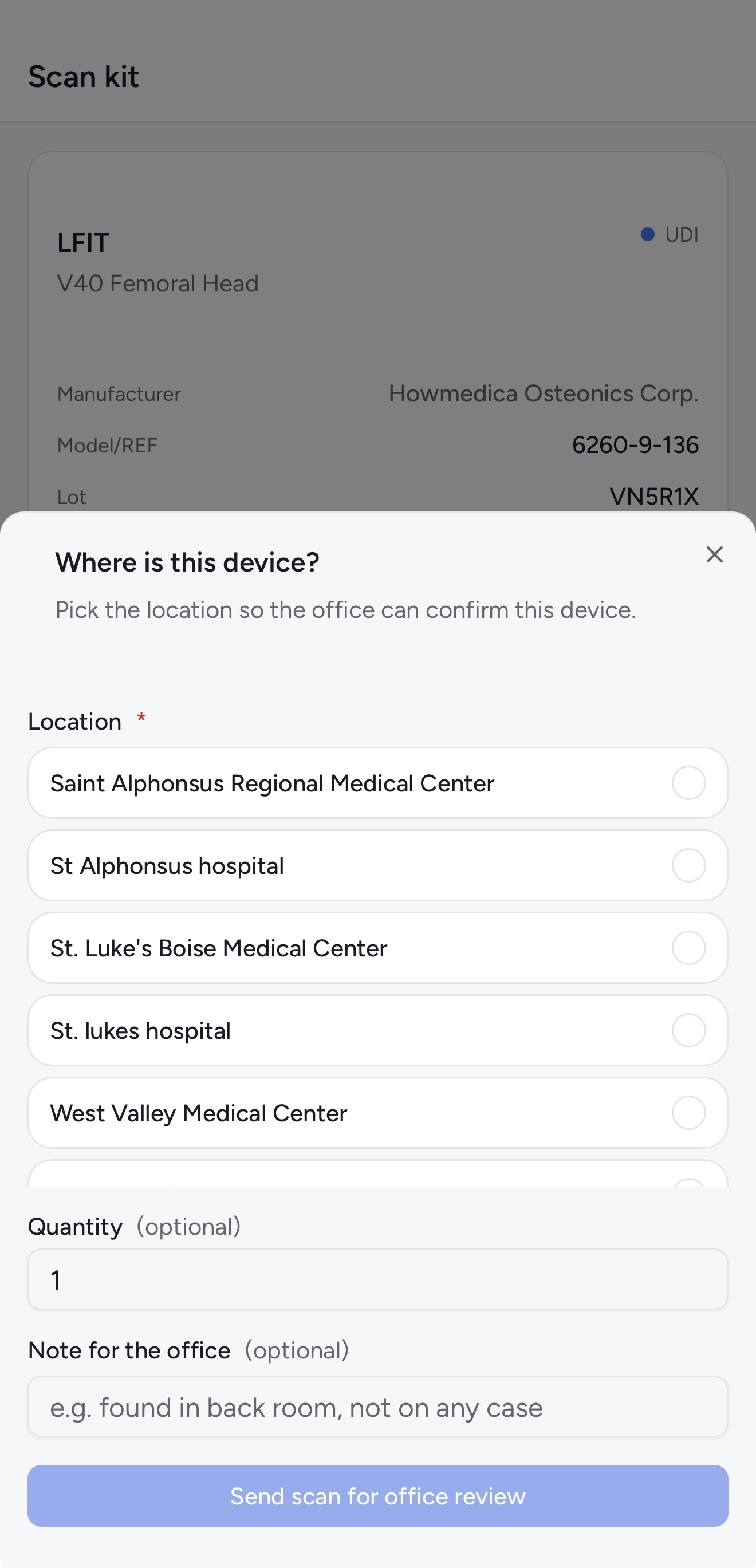
This is the moment the paper trail becomes real: the kit in someone’s hands is provably the kit on the case.
Step 05 — Case marked ready
Every required kit type is covered, so the case flips to Ready and the office and rep both get a case-scoped notification.
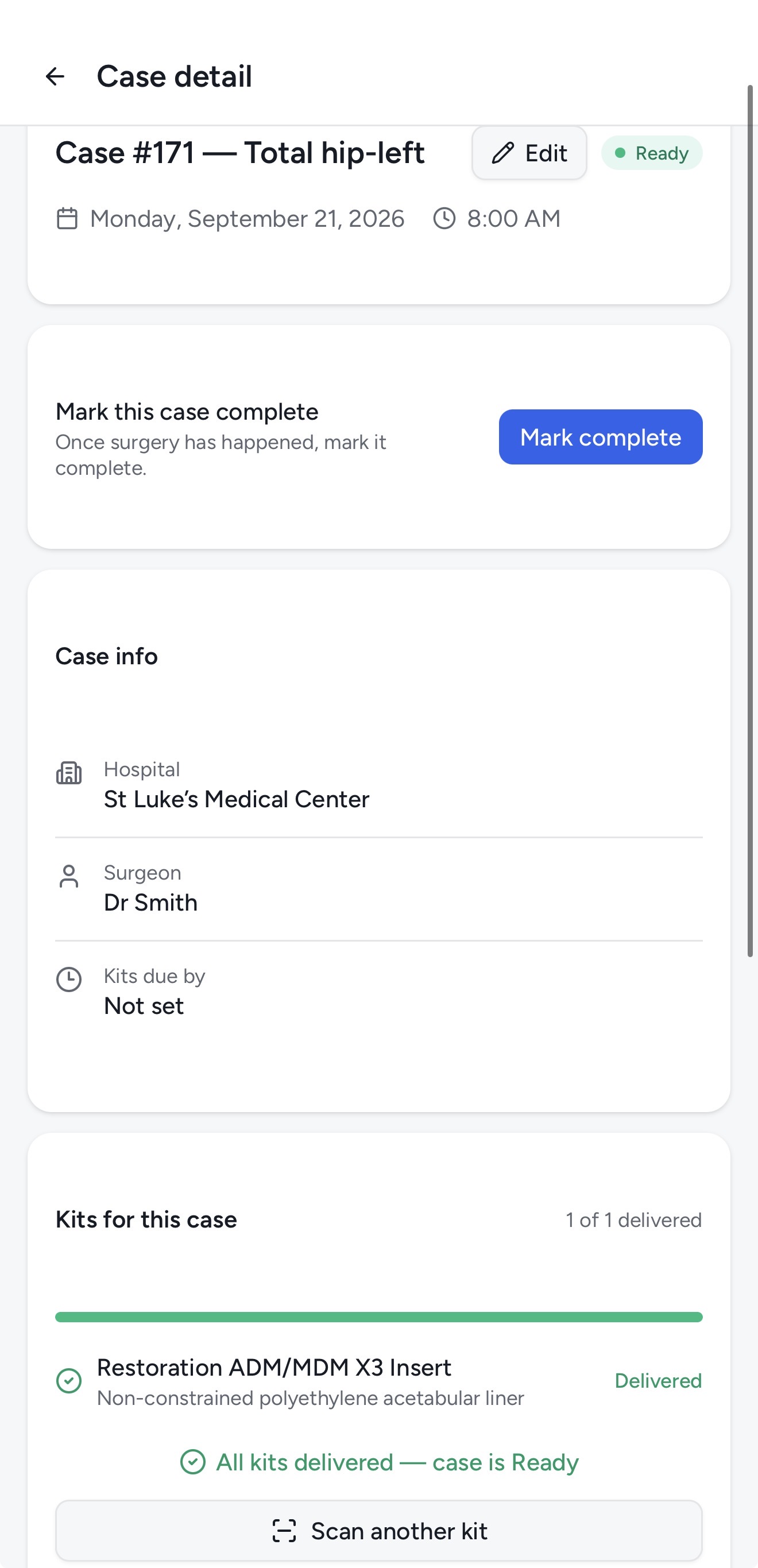
The notification leads with the case — Case #220 — Total Hip: — so nobody has to guess which surgery it’s about.
Point the camera at any UDI barcode. Kitlogi figures out whether it’s a brand-new device or a kit you already track — and does the right thing either way.
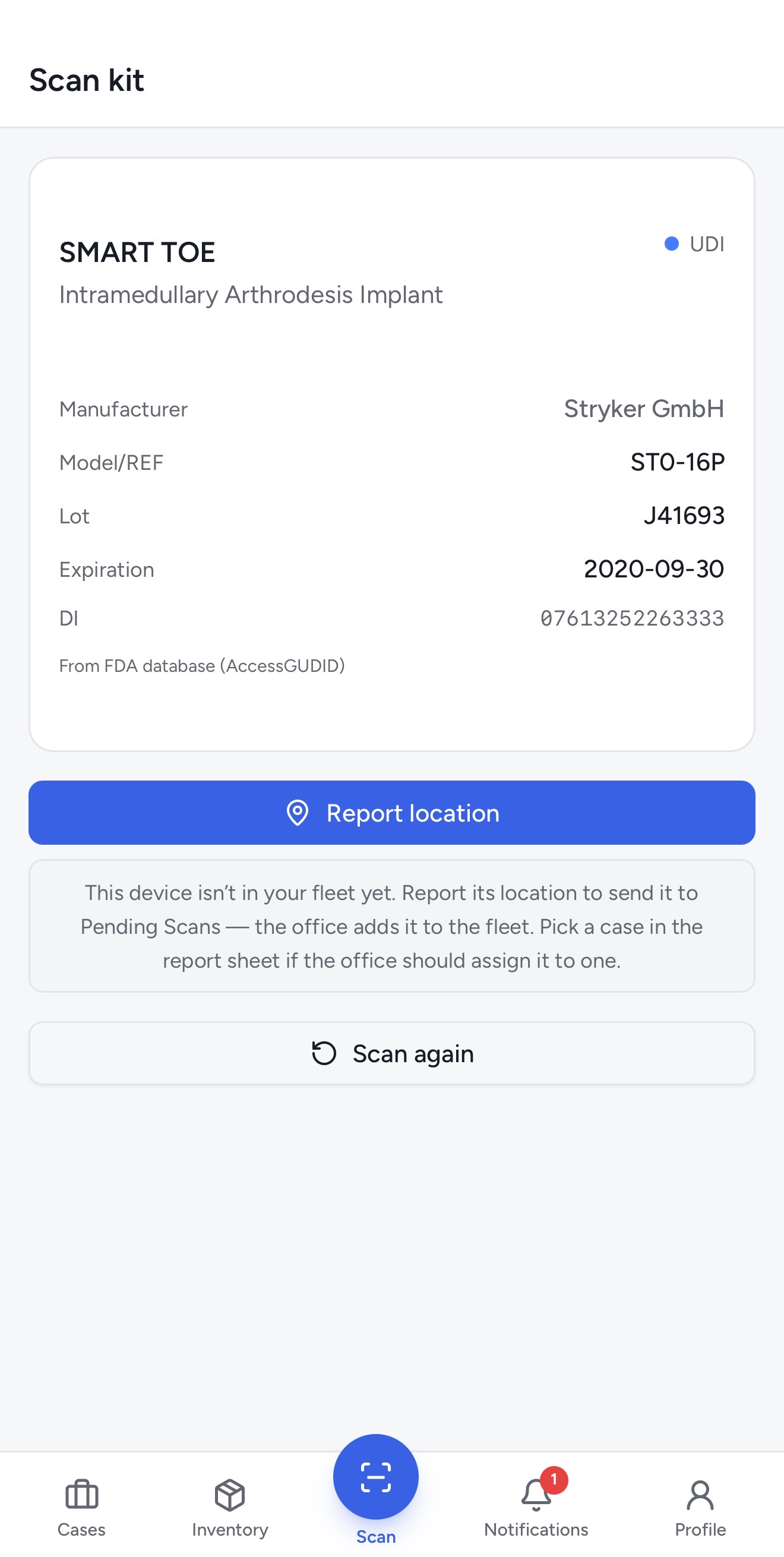
Scan a device Kitlogi doesn’t know yet and it queries the FDA’s AccessGUDID database on the spot. Device name, manufacturer, reference, lot, and expiration fill themselves in.
Stryker GmbH · Intramedullary Arthrodesis Implant
From FDA database (AccessGUDID)
Scan a kit you track and Kitlogi pulls up its full record instantly — then lets you update status and location in two taps as it moves between office, hospital, and car.
When a scanned kit matches what an upcoming case needs, Kitlogi suggests the assignment right on the scan sheet. One tap connects the kit to the surgery — and the case gets closer to Ready.
Every kit with its lot, serial, expiration, ABC class, location, and status — filterable, sortable, exportable. Filter by status, location, and behavior to see exactly where every unit is at a glance.
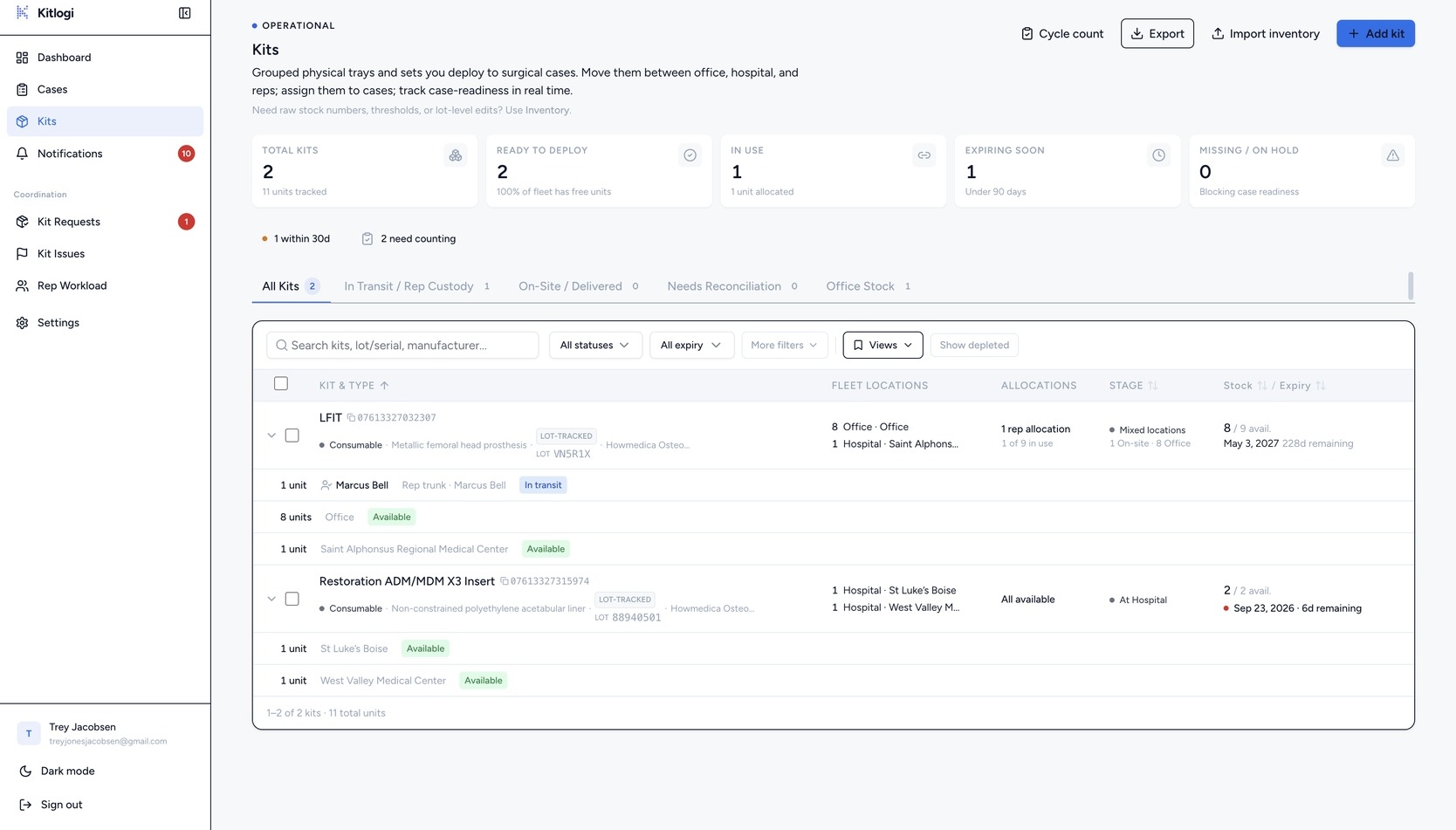
Swipe to pan · tap to enlarge
Reps carry the whole inventory in a pocket — filtered by status, searchable by lot or serial, with expired kits impossible to miss.
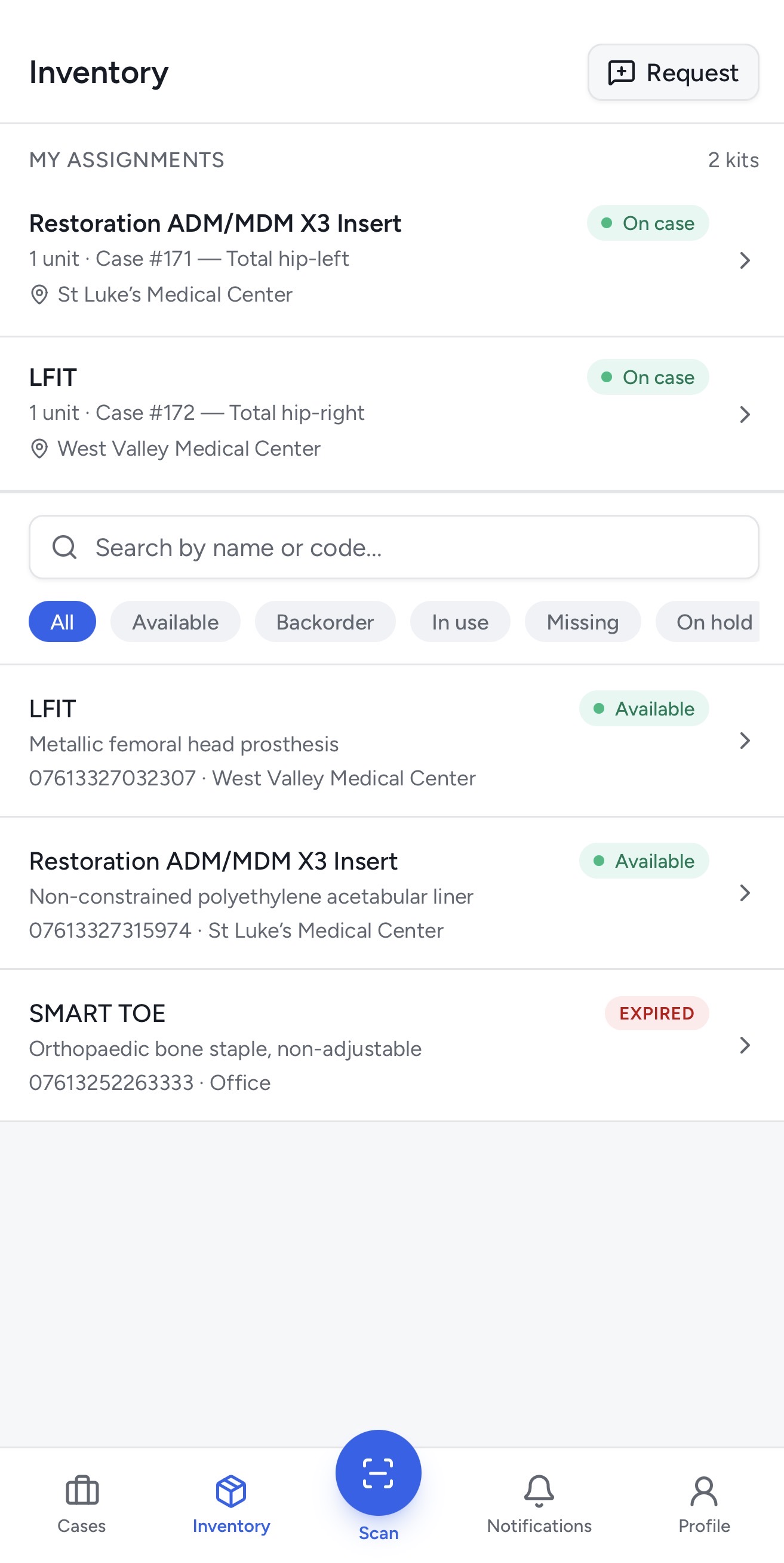
Kitlogi tracks both — without mixing them into one generic inventory bucket. A kit is either consumable stock or a loaner asset, and every screen respects the difference.
Set the kind on the kit itself. Reps mark consumables as used when the case wraps and the quantity decrements; loaner trays release back to the shelf with the case history attached. Offices classify kits A, B, or C and run cycle counts against those classes to keep the numbers honest.
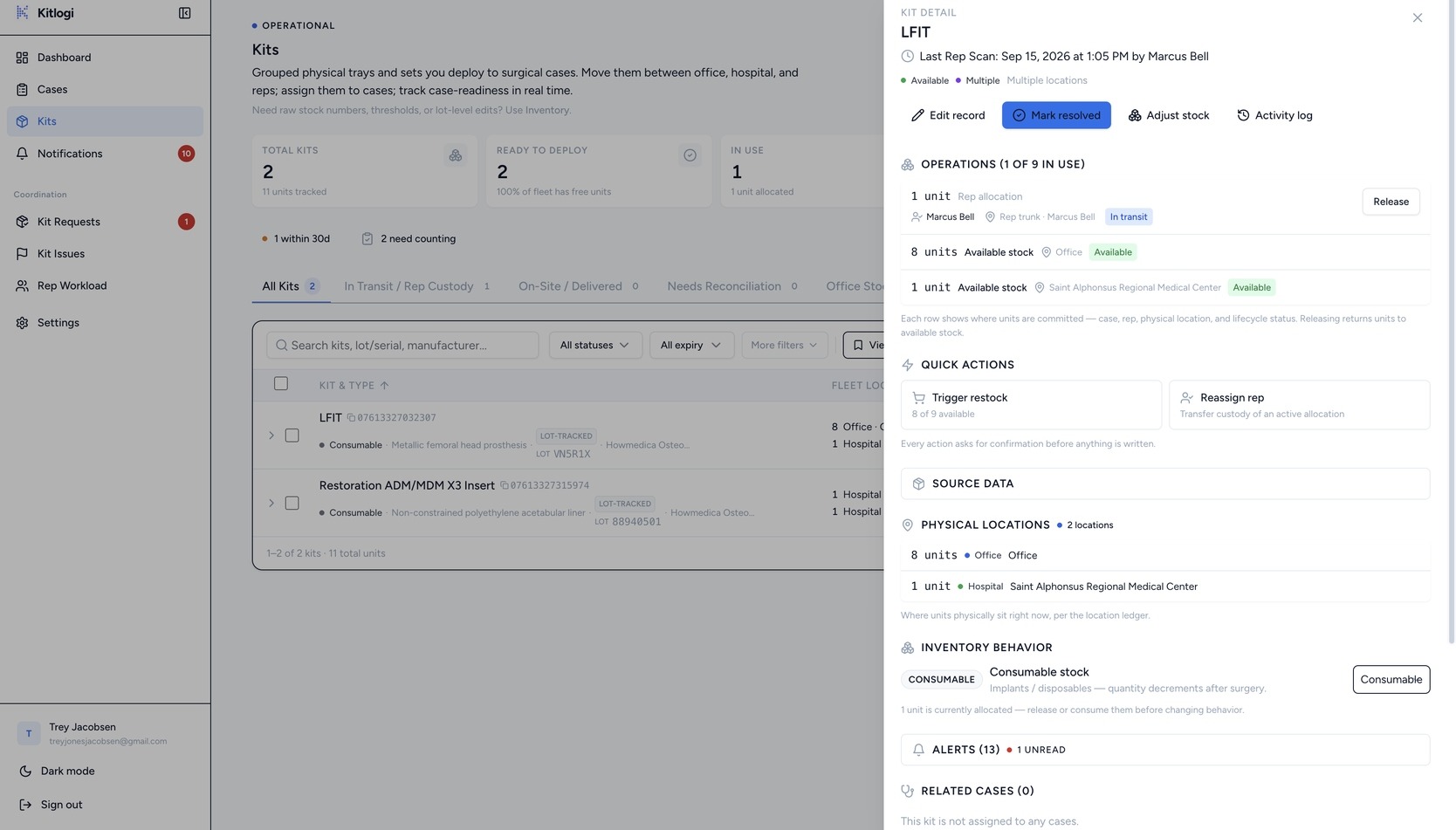
Swipe to pan · tap to enlarge
Correct lot, serial, manufacturer, expiration, type, and ABC class after creation — without changing custody, case assignment, or usage history. The kit stays exactly where it is and on the case it is on.
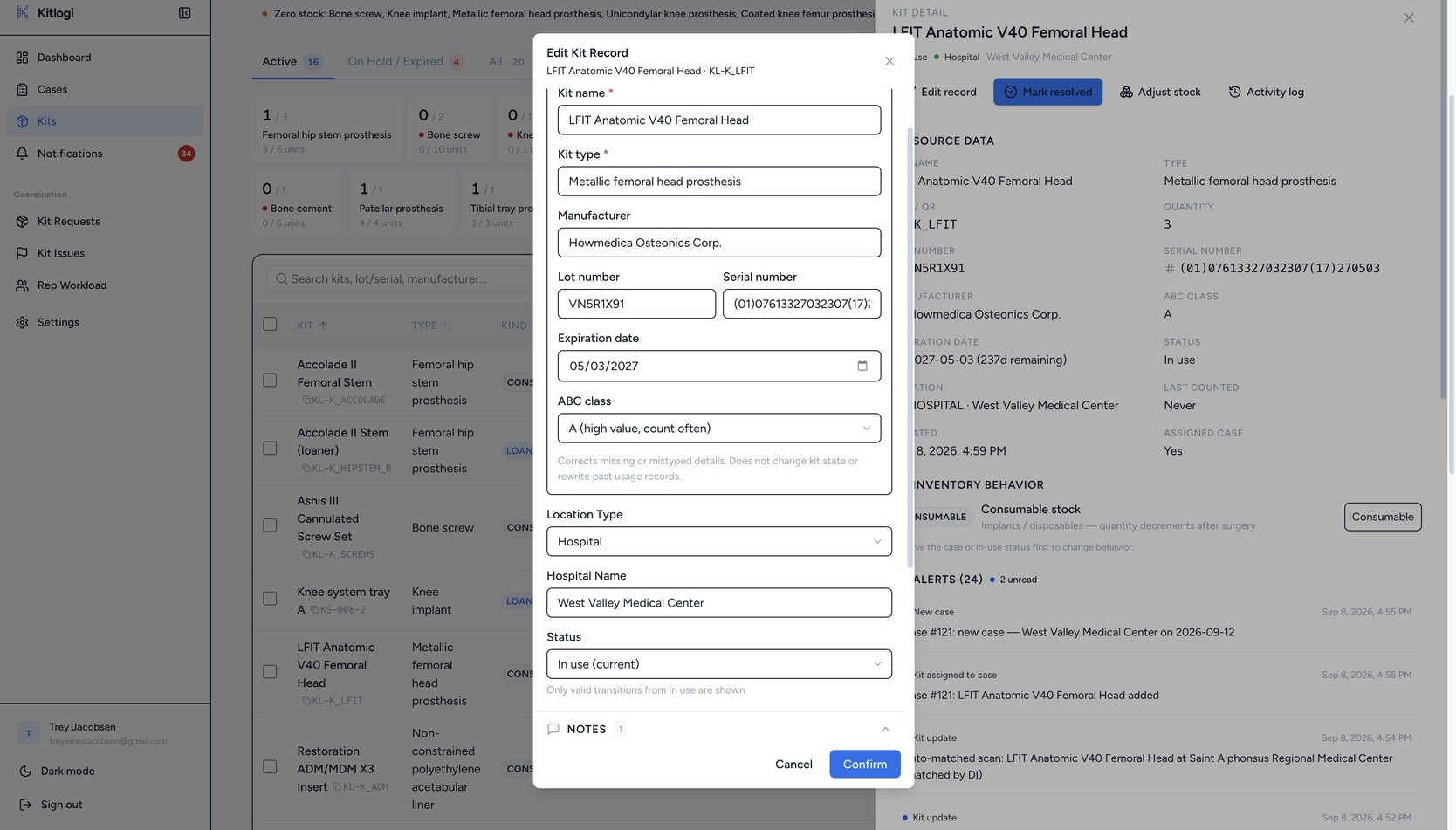
Swipe to pan · tap to enlarge
A kit is never just “in stock.” It is on a shelf, with a rep, or at a hospital for a specific case — and the record says which, backed by the scan that proved it.
Device, lot, serial, expiration, location, status, assigned rep, and case history all live on the kit. Move it and the record moves with it — there is no second spreadsheet to reconcile.
Swipe to pan · tap to enlarge
Surgeon, hospital, date, required kit types, assigned kits, and blockers — one record from scheduling to sign-off.
If a required kit type has nothing assigned, the case goes At risk and says exactly what’s missing. Fix it days out — not in the OR hallway.
Swipe to pan · tap to enlarge
When the case is done, the rep marks it complete from the hallway. Kits release back to inventory and the office sees it immediately.
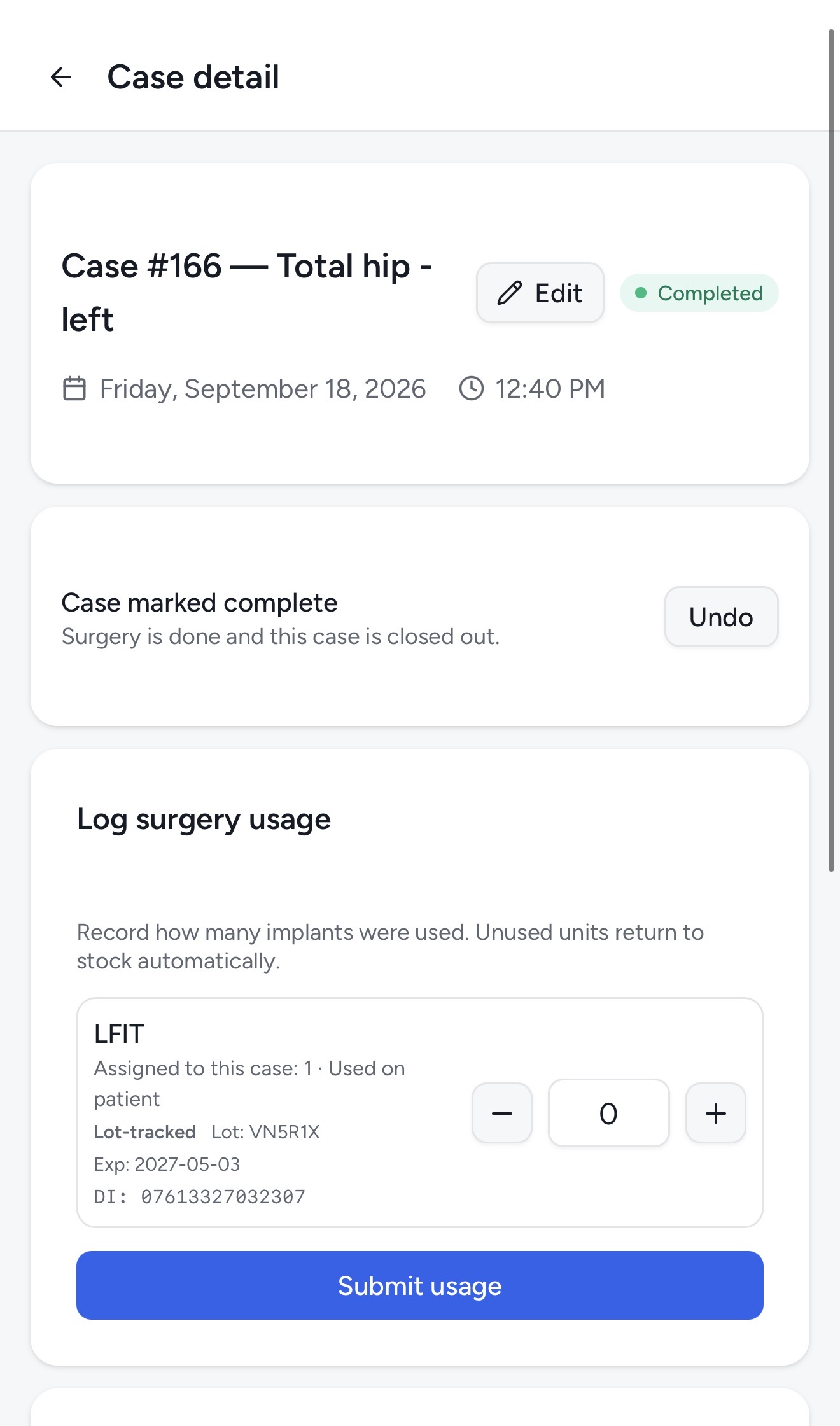
After the case is complete, reps record how many implants were used right from their phone. Consumables decrement from inventory, loaners return to stock automatically — no spreadsheet, no end-of-day reconciliation.
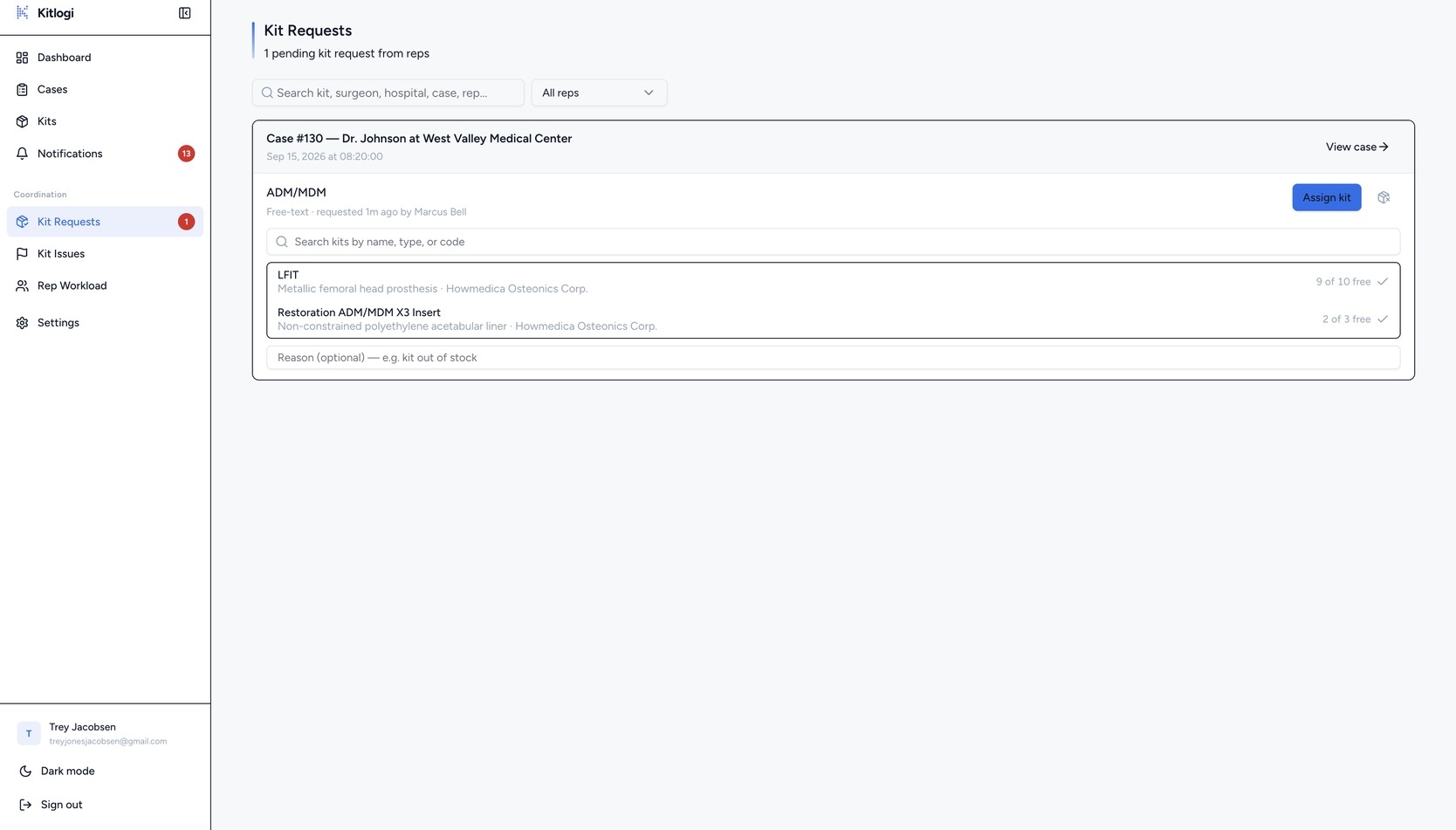
Damaged liner? Count off by one? Reps flag it from the field; the office approves, rejects, or asks for more — and inventory updates itself.
Every field request shows current quantity, requested change, and the rep’s note. Approving applies it to live inventory and writes the audit log.
Swipe to pan · tap to enlarge
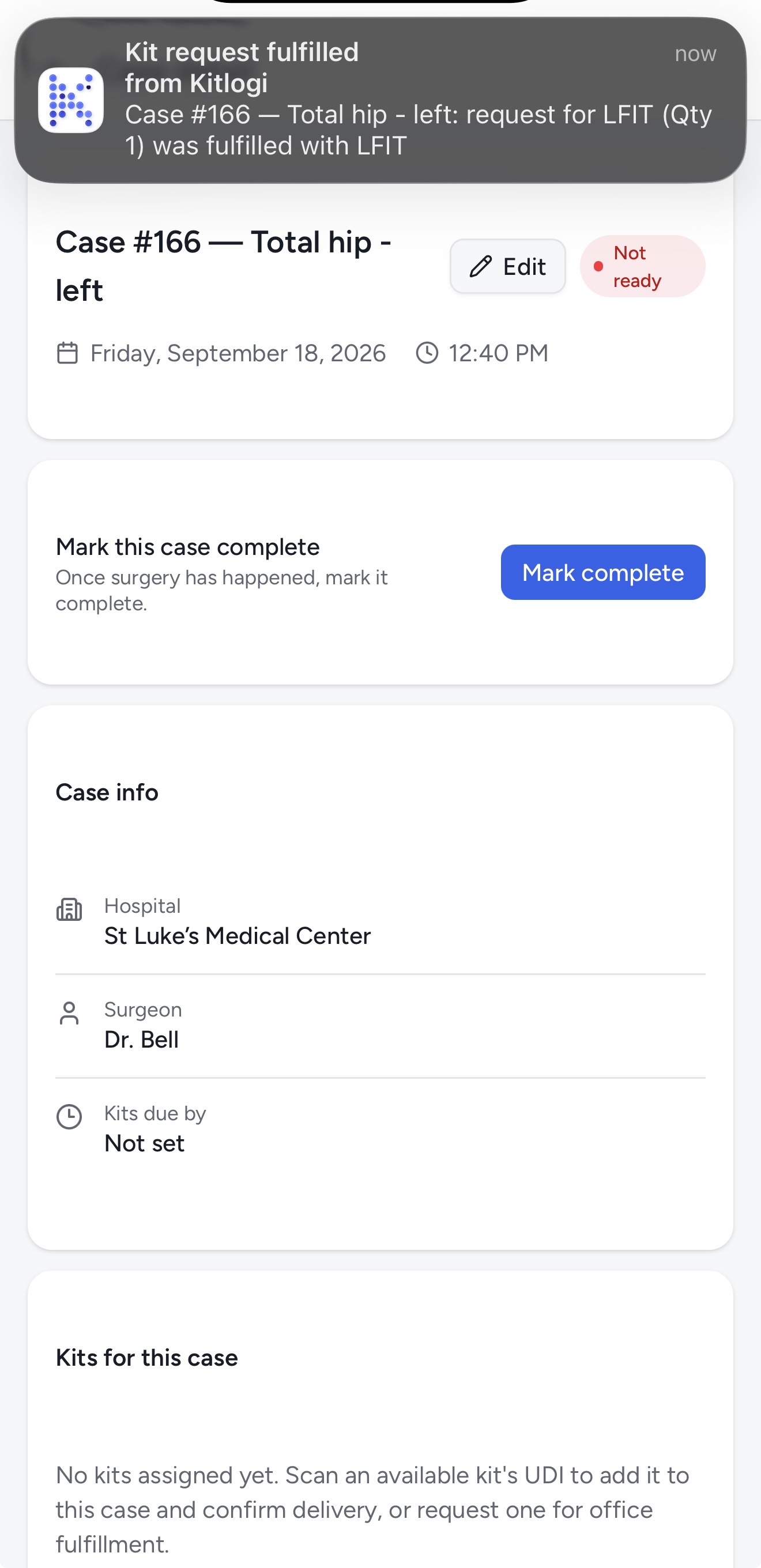
Every case notification leads with the case it belongs to — Case #220 — Total Hip: — so a rep reading it in a hospital hallway knows what it is about before the second line.
The rep app installs to the home screen as a PWA and keeps working when the signal in the basement does not. Mutations cache in IndexedDB and replay automatically when the connection returns.
Multi-factor sign-in is available on every account, and Postgres row-level security scopes each query to the company that owns the data.
Parses raw and parenthesized GS1 UDI formats — whatever the manufacturer prints on the label, the scanner reads it.
There is no patient field anywhere in Kitlogi. That is not a compliance certification — it is a much smaller surface to review.
Import your inventory, scan your first kit, and run a real case. Your first 14 days are free.
Card required. Cancel anytime.
Already have a team? Talk to us →