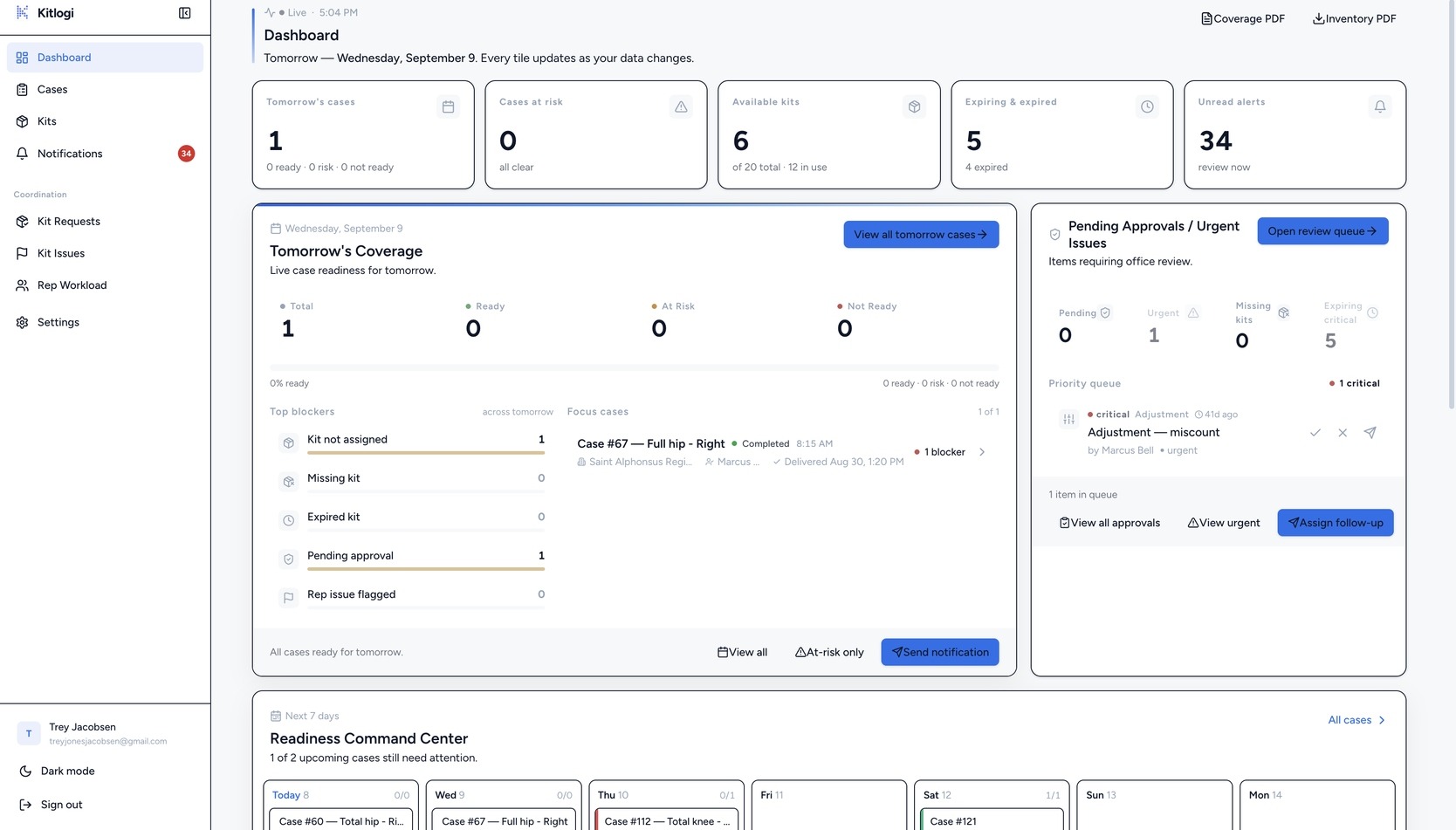
One dashboard shows which cases are ready, which are at risk, and exactly what’s blocking them — updated live as reps scan in the field.
Tomorrow’s coverage, cases at risk, expiring kits, unread alerts, and the review queue — every tile updates as your data changes.
Swipe to pan · tap to enlarge
Swipe to pan · tap to enlarge
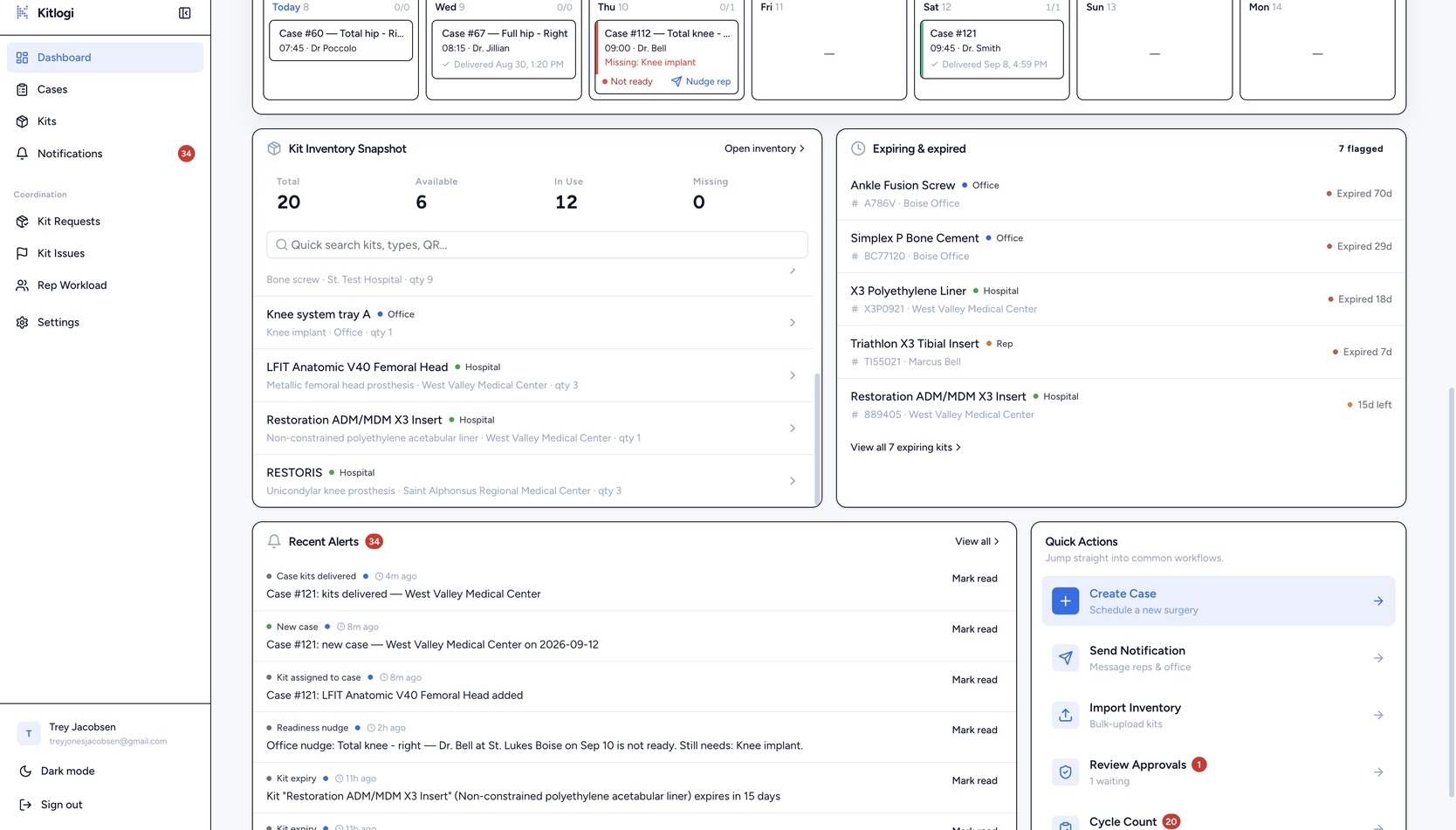
Scrolled: the readiness command center for the next seven days, kit snapshot, live alerts, and quick actions.
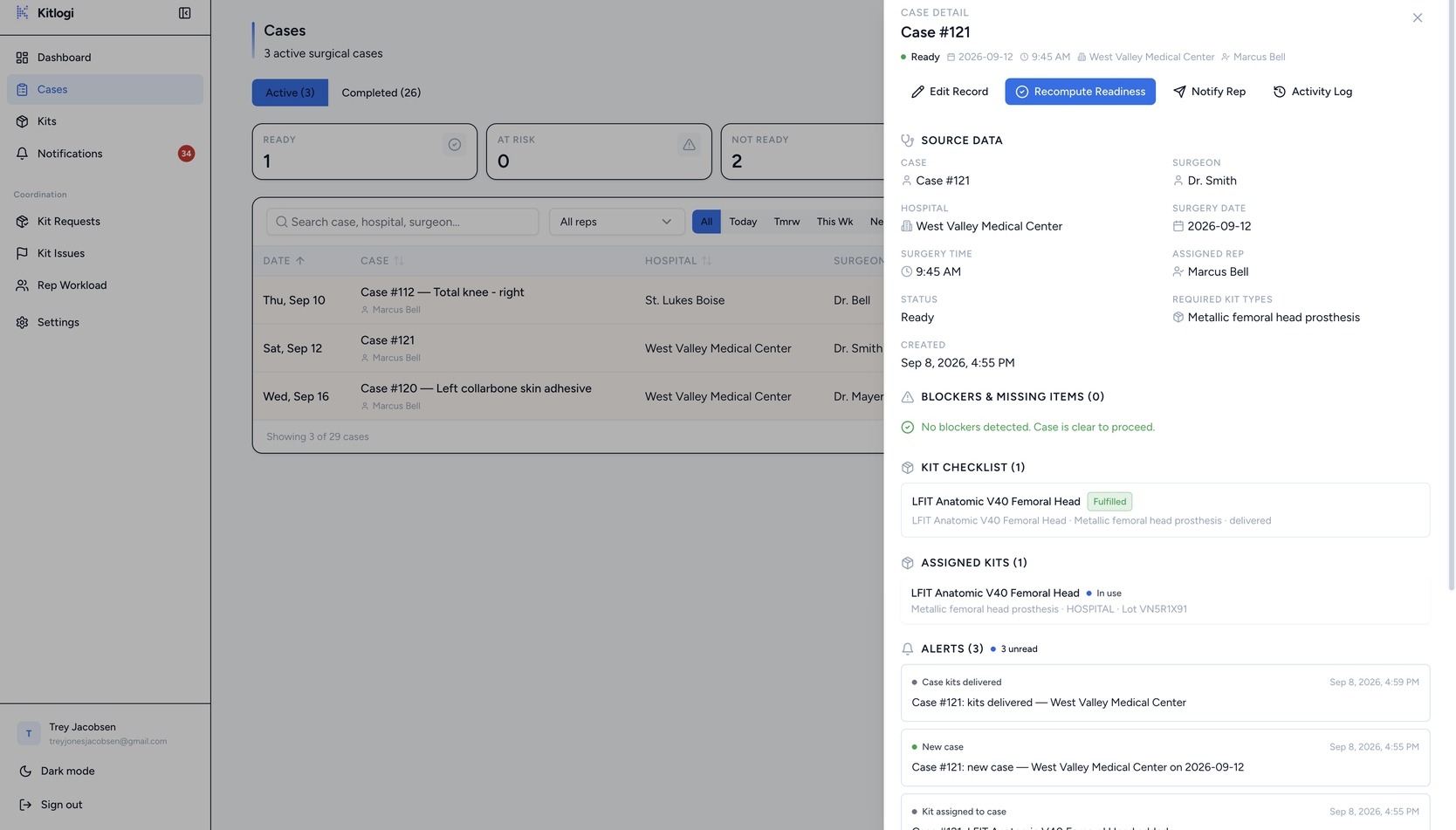
Surgeon, hospital, date, required kit types, assigned kits, alerts, and history — and when coverage is missing, the case names the gap.
Swipe to pan · tap to enlarge
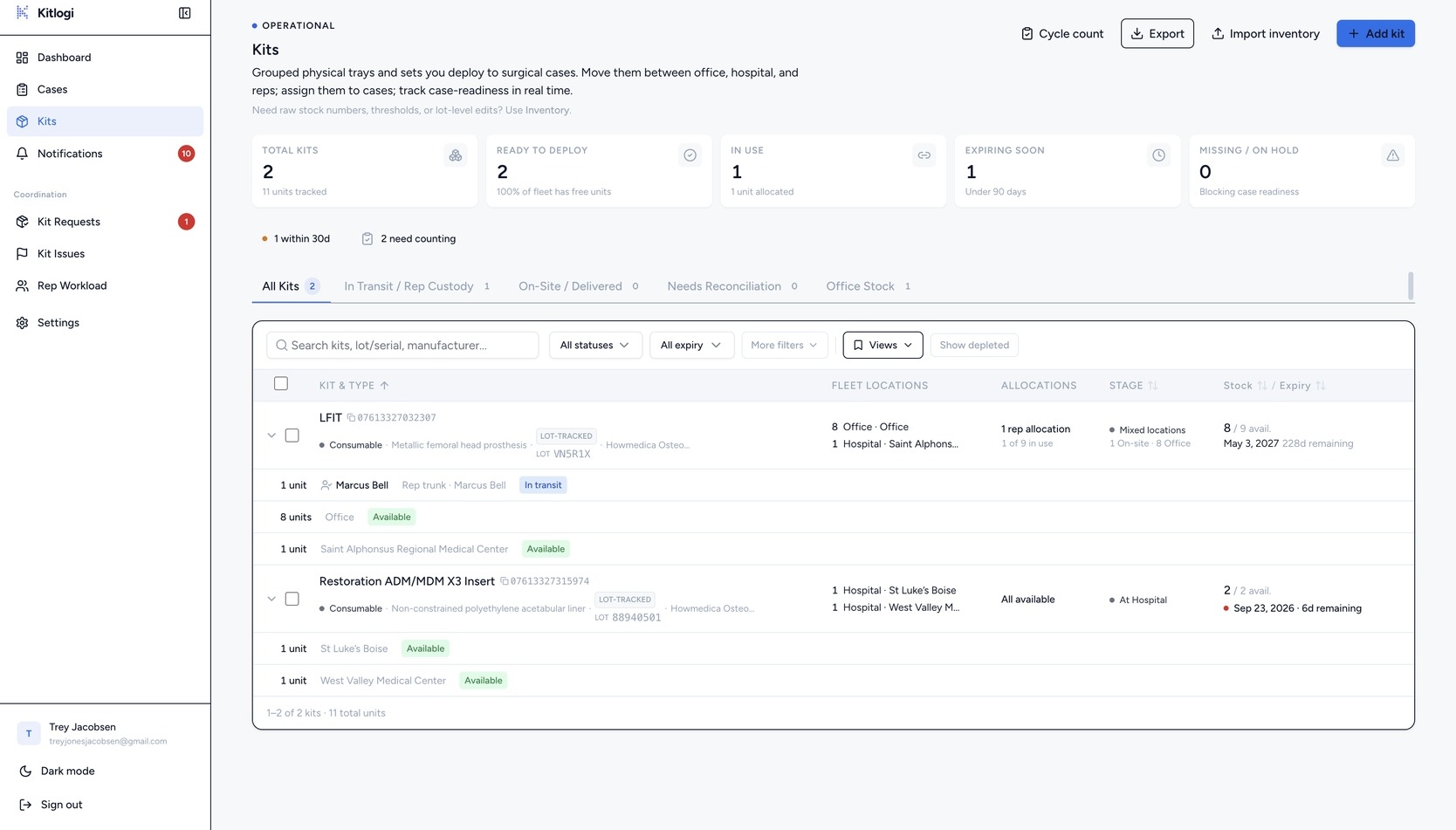
Kind, lot, serial, expiration with days remaining, ABC class, location, status, and last count — filterable by kind, type, status, location, manufacturer, and expiry.
Swipe to pan · tap to enlarge
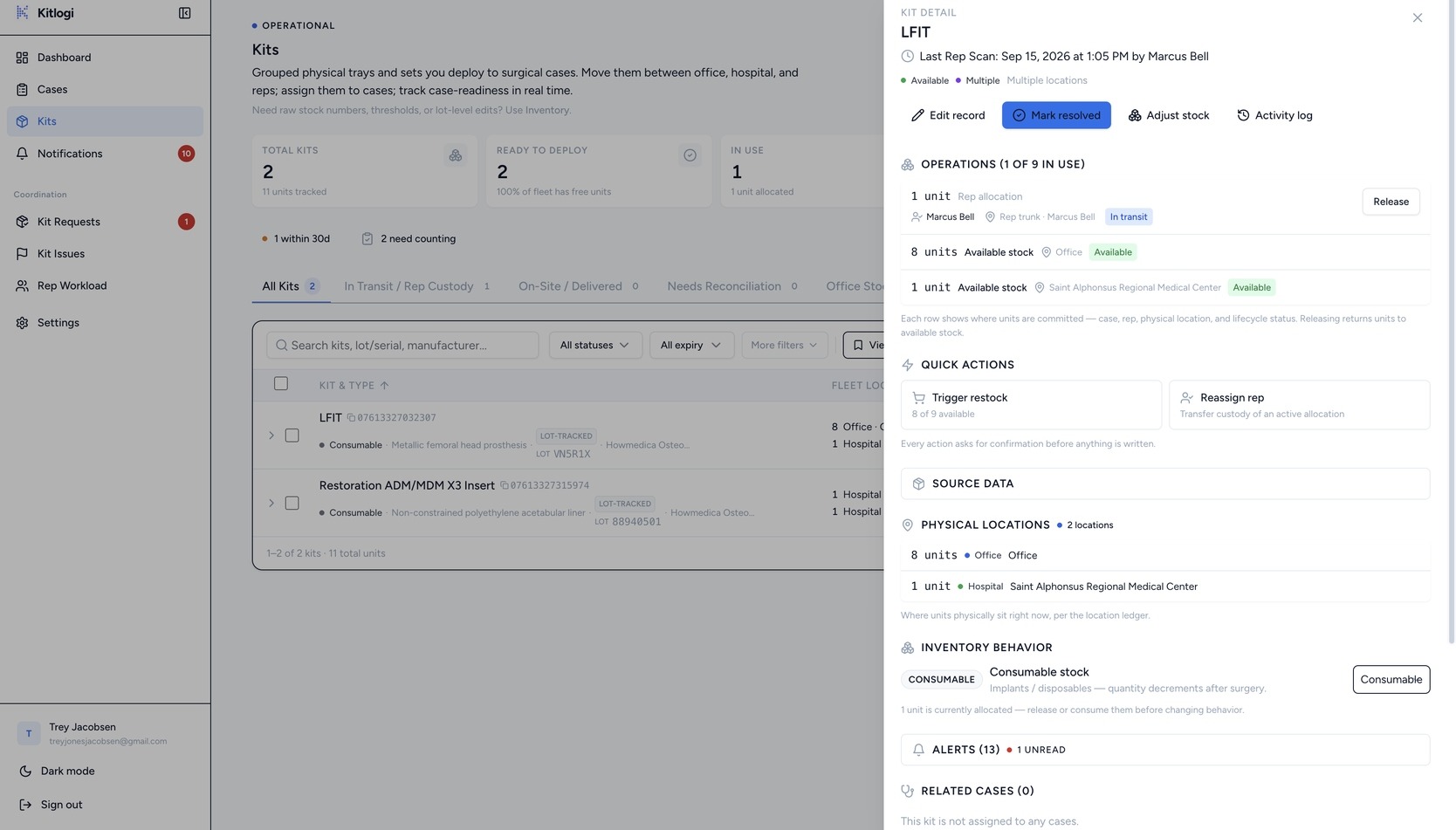
Kitlogi tracks both — without mixing them into one generic inventory bucket. Set a kit’s kind from the detail drawer and the whole system follows: consumables decrement when a rep logs usage, loaner trays release back to the shelf with the case history attached.
Swipe to pan · tap to enlarge
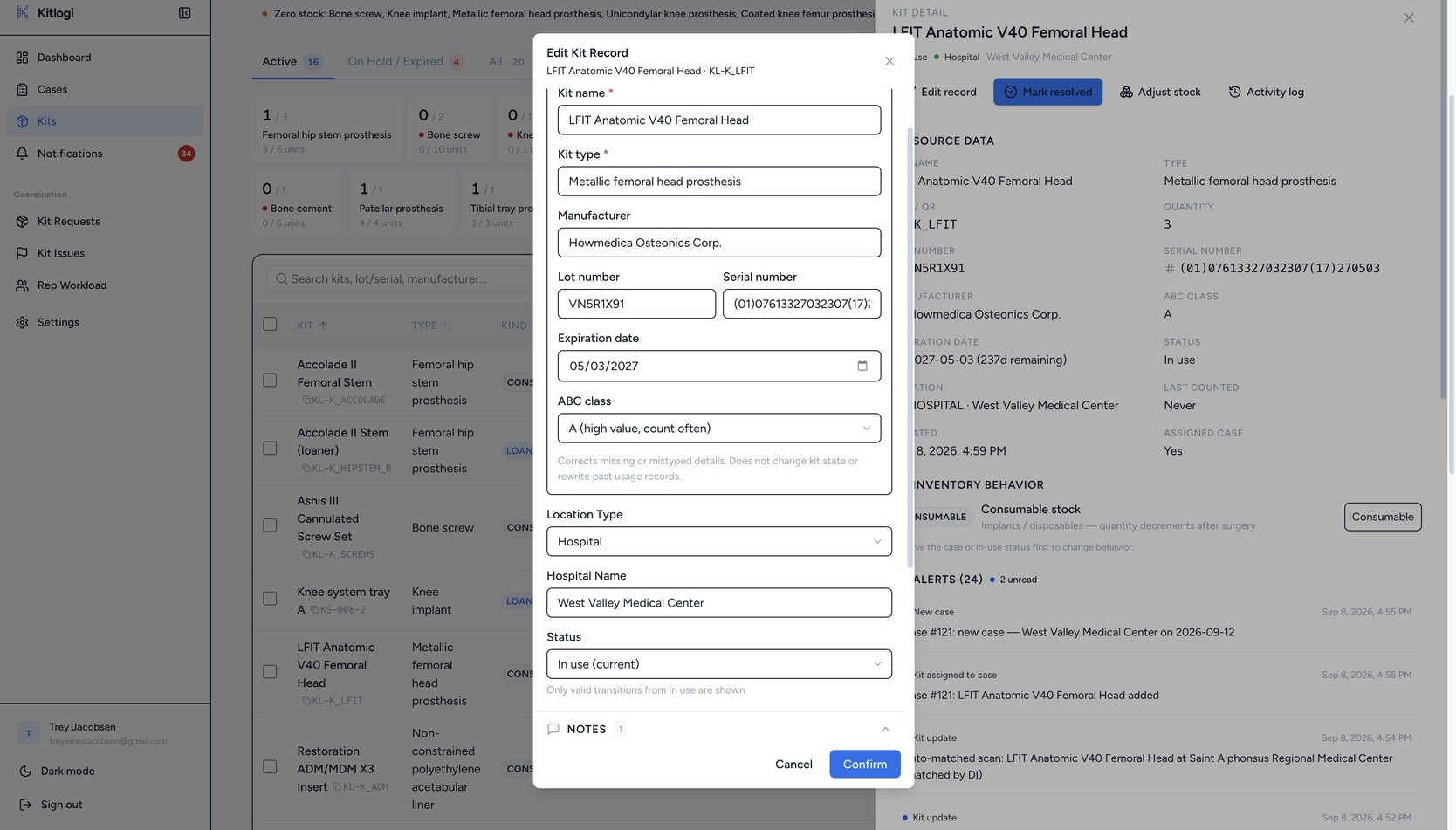
Correct lot, serial, manufacturer, expiration, type, and ABC class after creation — without changing custody, case assignment, or usage history. Imported a spreadsheet with a bad column? Fix the rows in place.
Swipe to pan · tap to enlarge
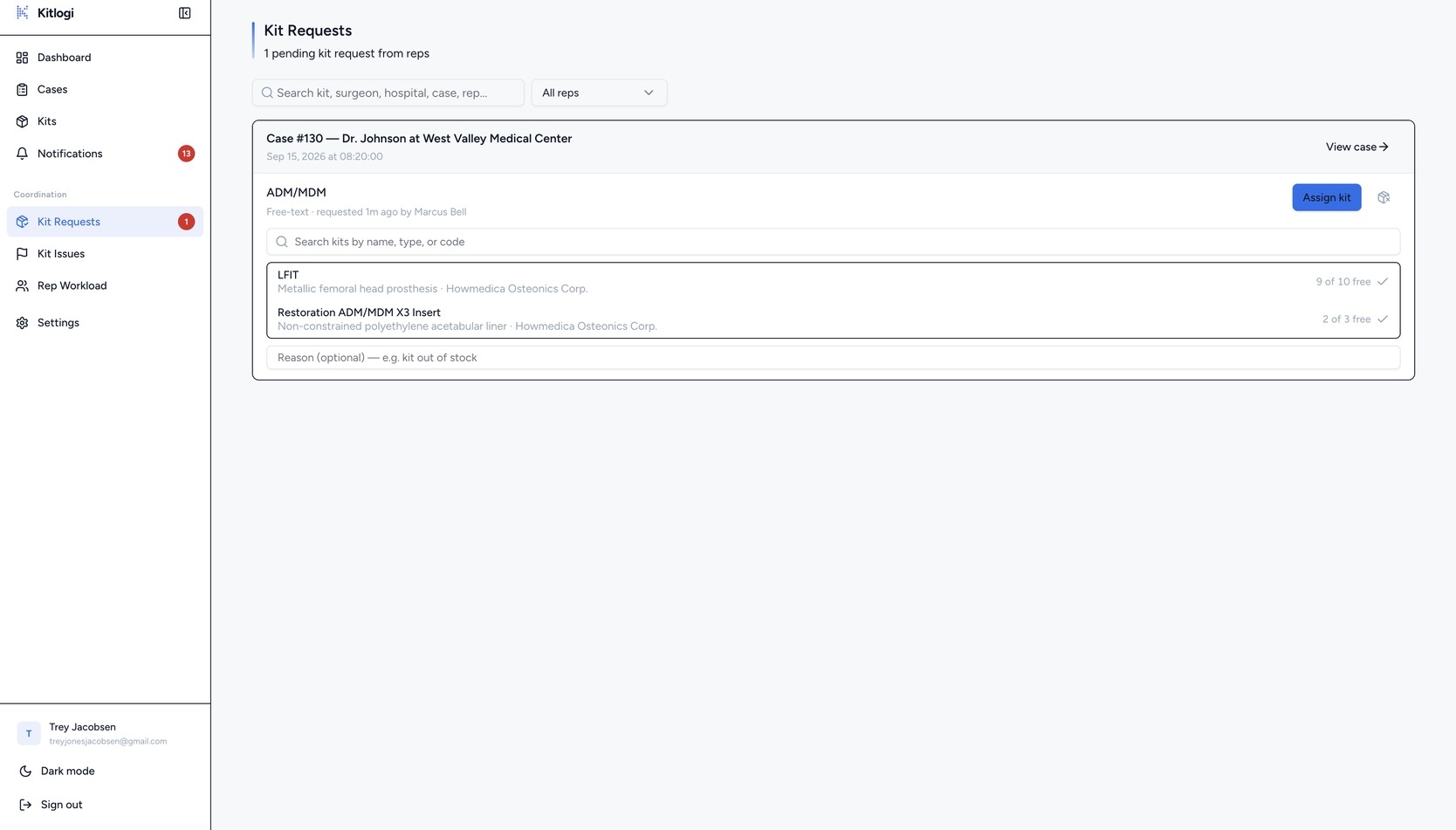
Requests arrive with the case, the surgeon, the date, and the rep’s note attached — so you assign a kit without asking a single follow-up question.
Swipe to pan · tap to enlarge
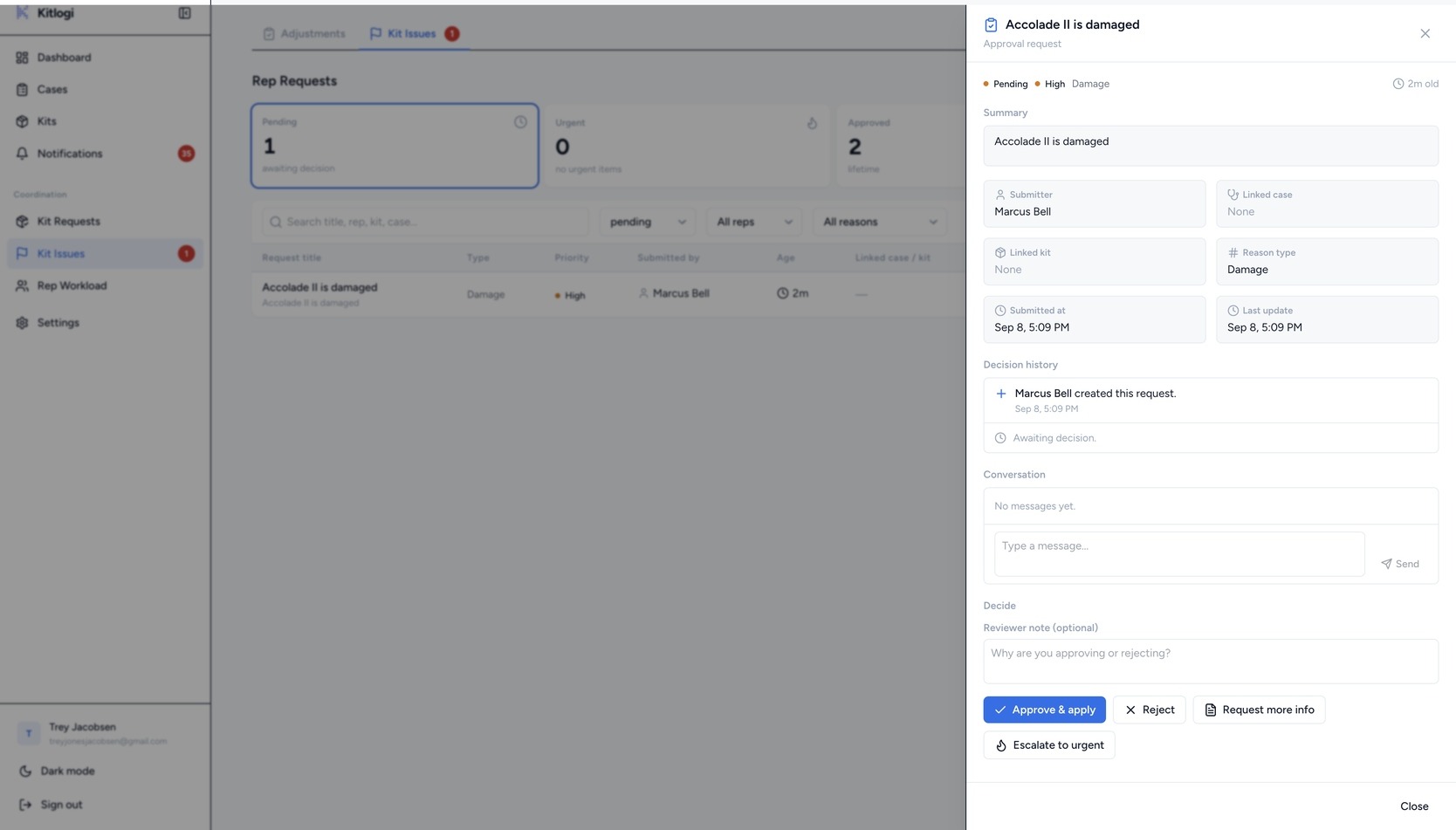
When a rep reports a damaged tray, a count that’s off, or a kit in the wrong place, it opens as an issue with the kit, the rep’s note, and the affected case already linked. Approve it and inventory updates itself.
Swipe to pan · tap to enlarge
When a rep scans a brand-new device in the field, it arrives here with its FDA record attached. Confirm it into inventory or reject it — your catalog stays clean.
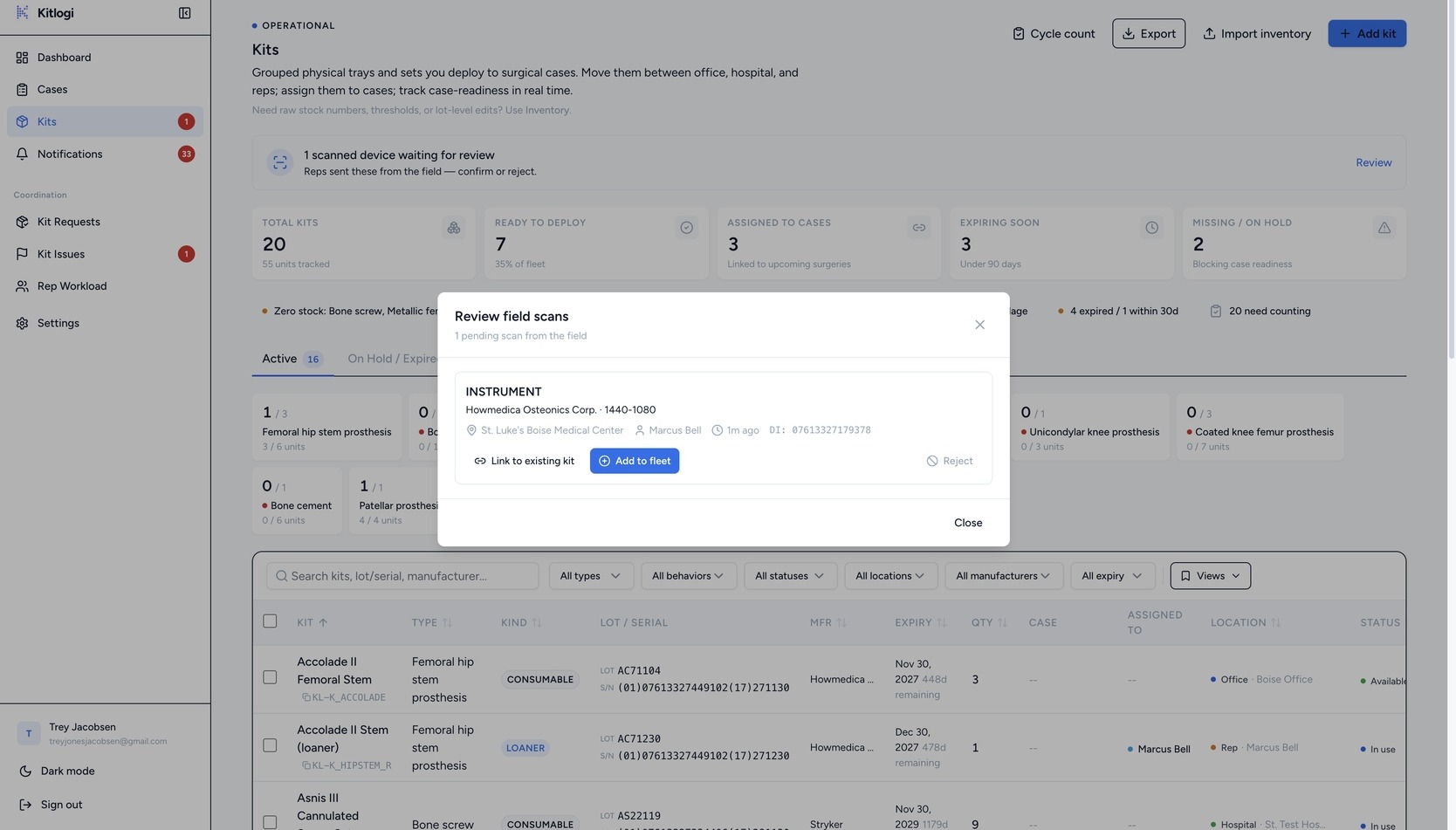
Swipe to pan · tap to enlarge
Cases turning at risk, kits nearing expiration, field scans waiting on review. Every case notification leads with Case #220 — Total Hip: so the alert explains itself.
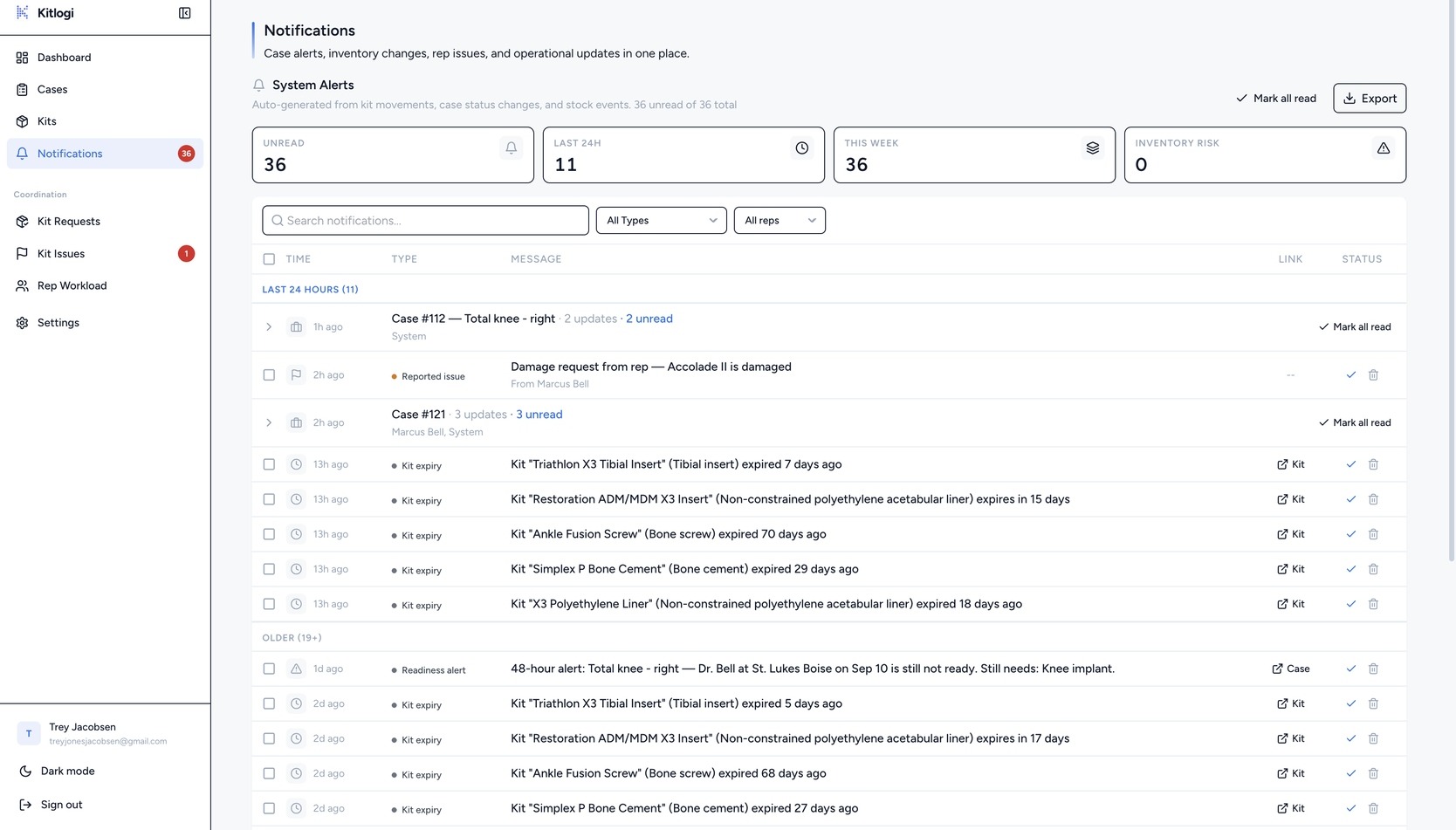
Swipe to pan · tap to enlarge
Manage reps and roles, kit types, hospitals, and notification preferences — the platform bends to how your team already works.
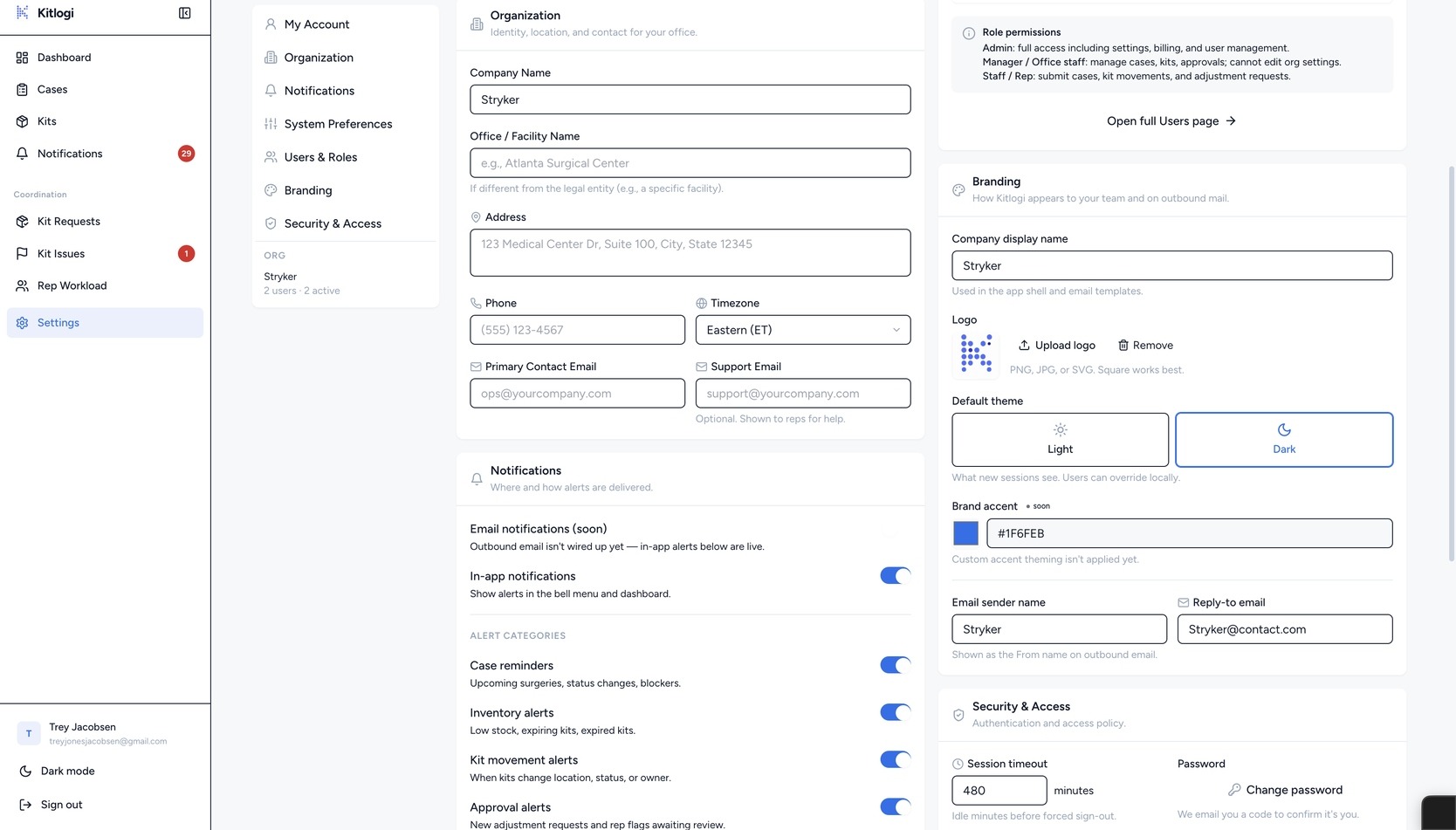
Swipe to pan · tap to enlarge
Import your inventory and see tomorrow’s coverage today. Your first 14 days are free.
Card required. Cancel anytime.
In the field? See the rep app →