Scan every kit with your phone. Kitlogi captures the device, lot, serial, and expiration — then connects it to the case in real time.
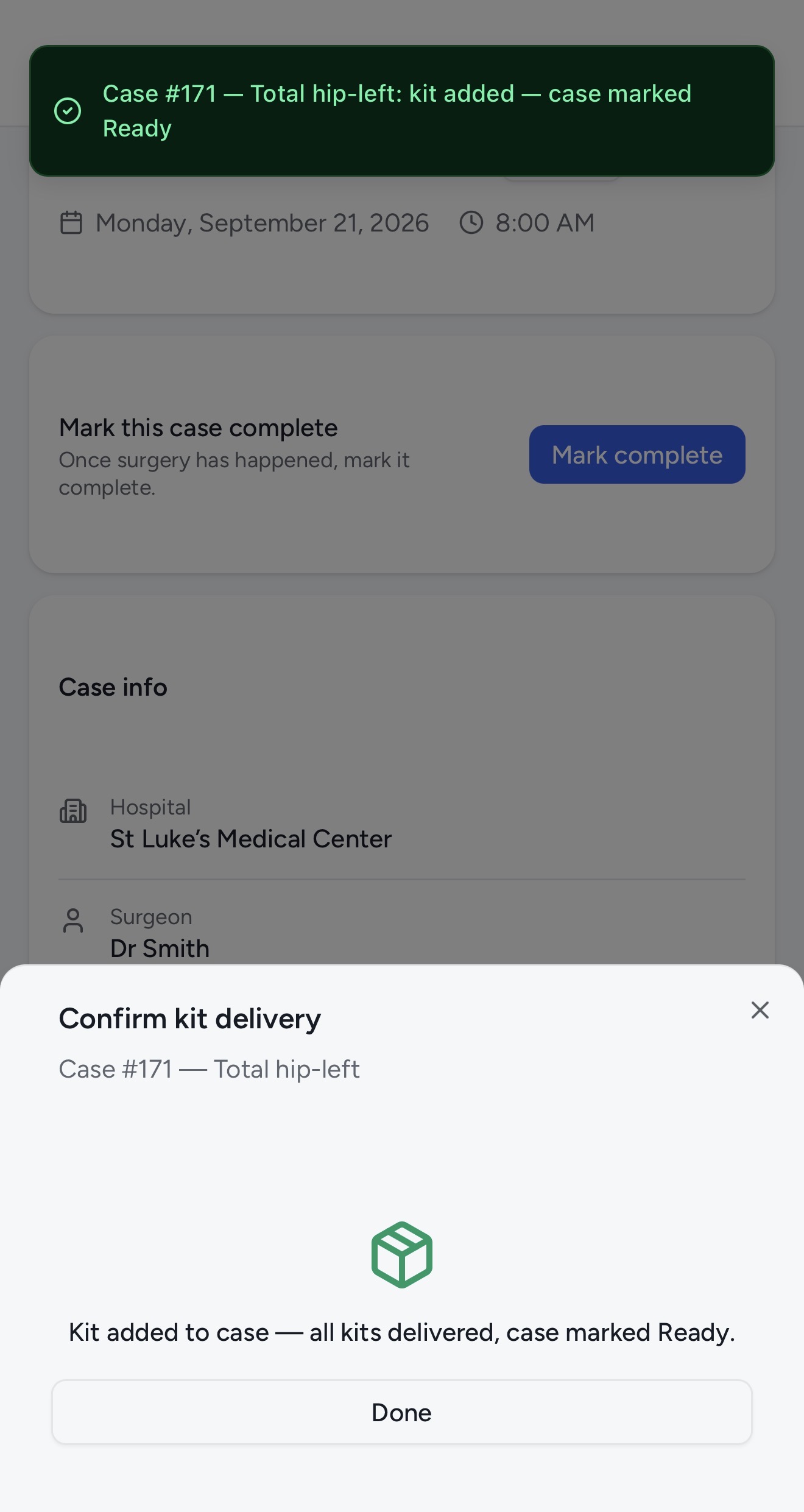
Stryker GmbH · Intramedullary Arthrodesis Implant
From FDA database (AccessGUDID)
Kitlogi gives reps and offices the same answer — before case day.
Most inventory software tells you what’s on the shelf. Kitlogi tells you whether the case is ready.
Office, hospital, or out in the field with a rep — one live record that both sides trust.
Scan it and instantly capture the device, lot, serial, and expiration.
Connect the kit to the case and know what’s missing before surgery.
Every scan captures the device, lot, serial, and expiration automatically. What changes is what the scan does next — add a kit to your fleet, report where it is, or mark a case ready.
Point your phone at the UDI barcode. Kitlogi captures the device, manufacturer, lot, serial, and expiration — and adds the kit to your inventory. No typing, no spreadsheets.
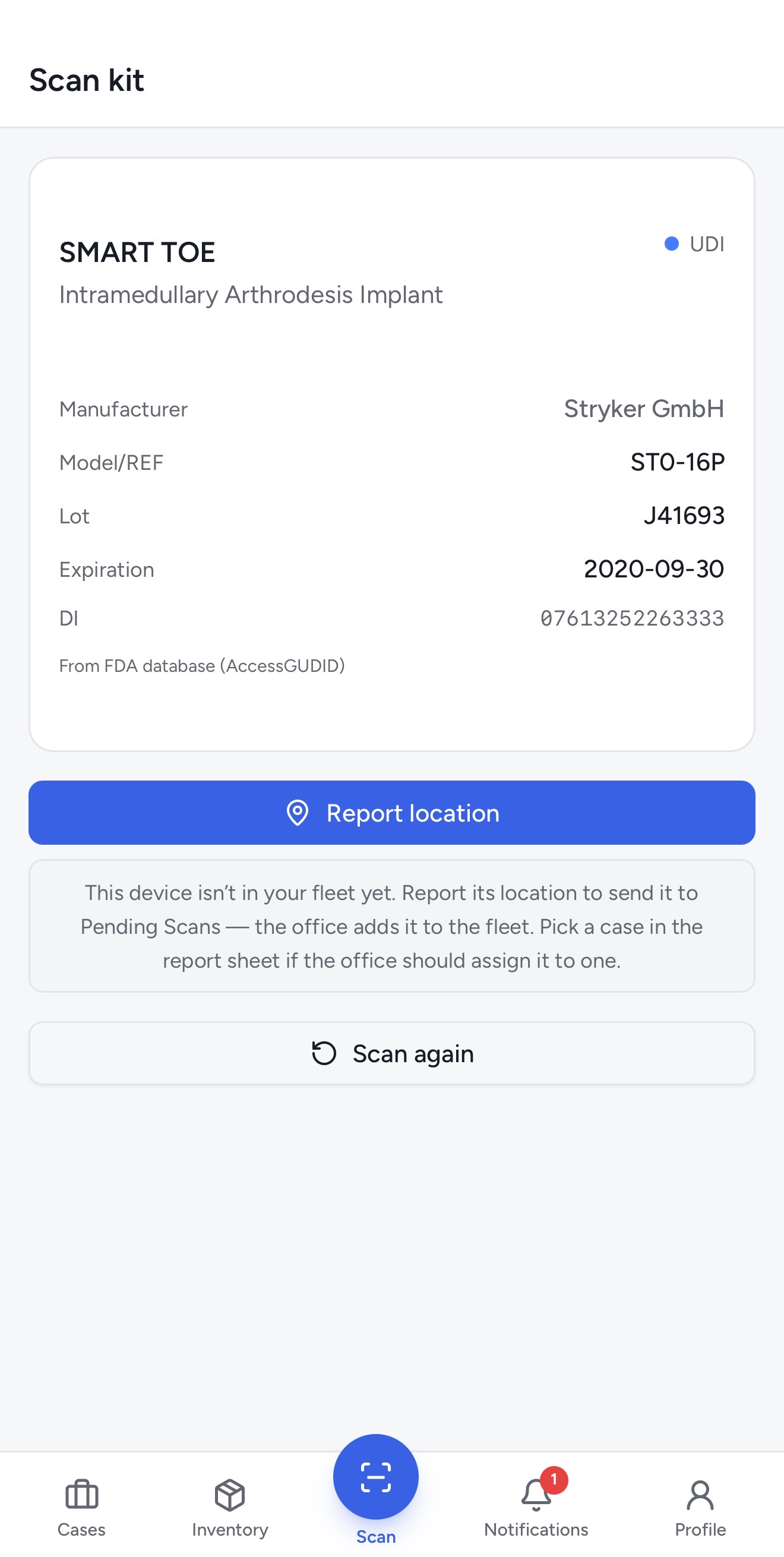
Scan the same kit and report where it is — office, hospital, or out in the field. The office sees the update instantly, so nobody has to call to check a shelf.
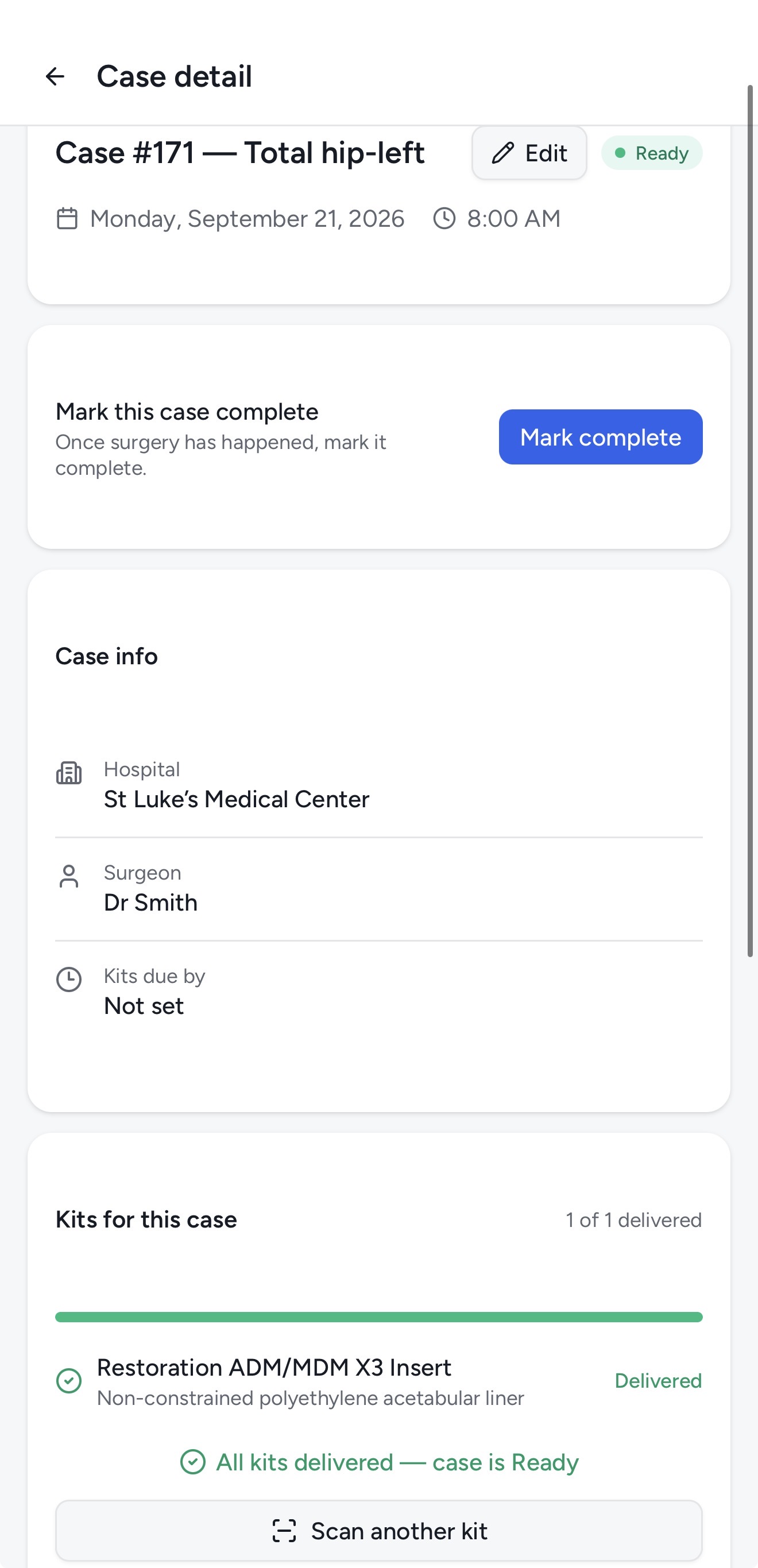
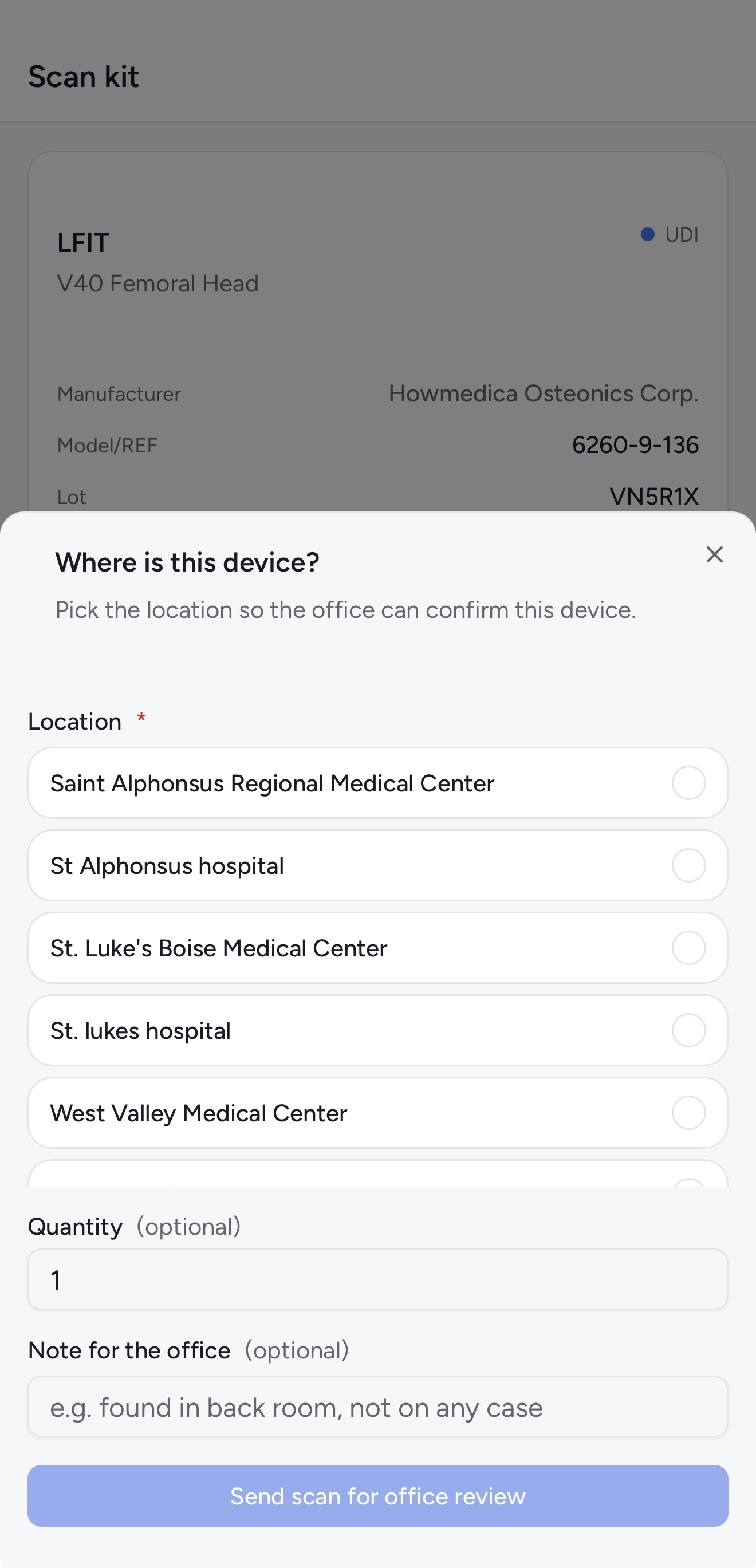
Scan the kit at the hospital and confirm delivery. The case updates to Ready in real time — the office knows before you even call them.
Kitlogi tracks both — without mixing them into one generic inventory bucket. Reps mark consumables as used when the case wraps; loaner trays return to the shelf and stay countable.
Every kit is either consumable stock or a loaner asset, and Kitlogi treats them differently everywhere it matters — the kits table, the case, and the count.
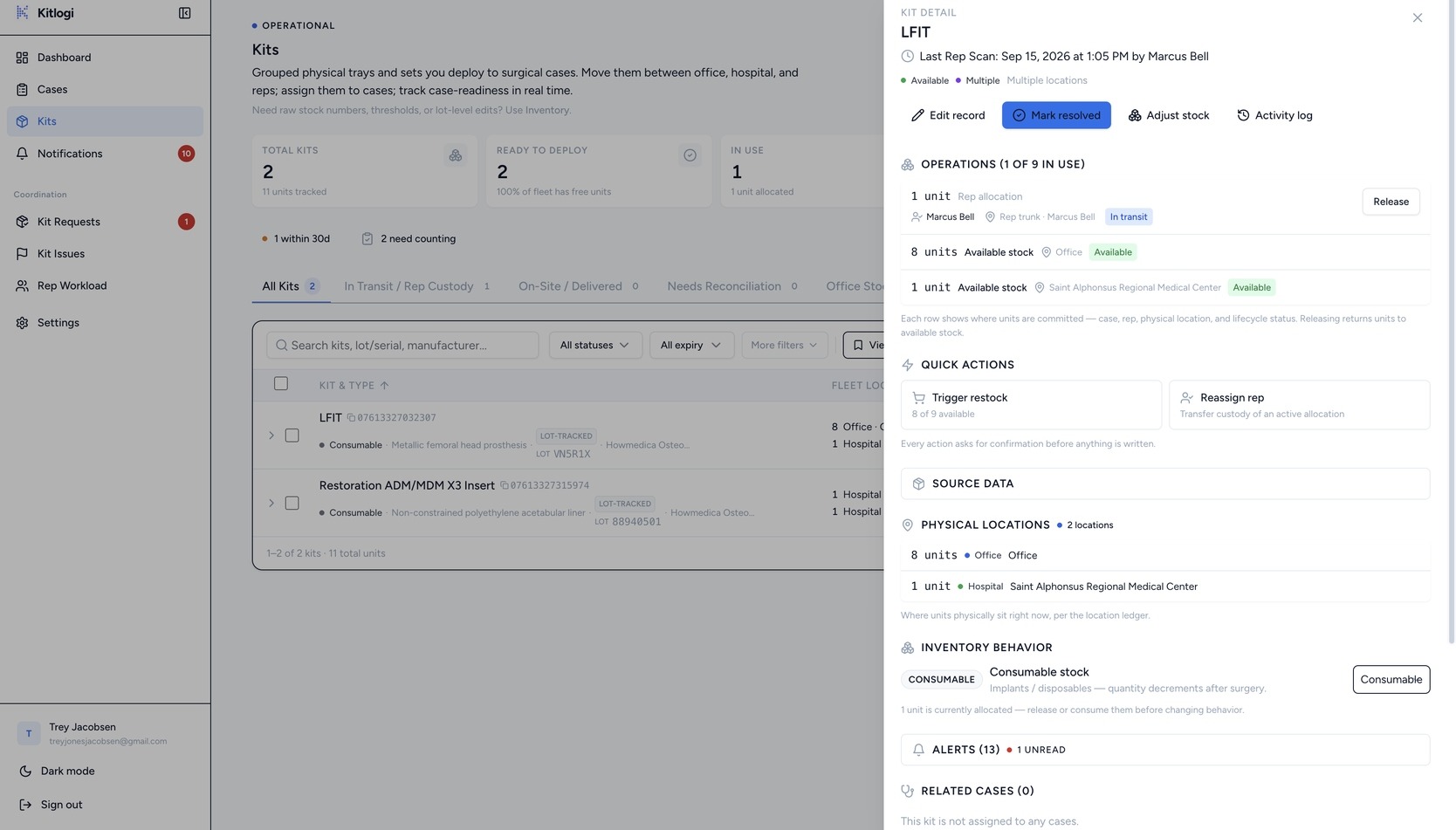
Swipe to pan · tap to enlarge
Correct lot, serial, manufacturer, expiration, type, and ABC class after creation — without changing custody, case assignment, or usage history.
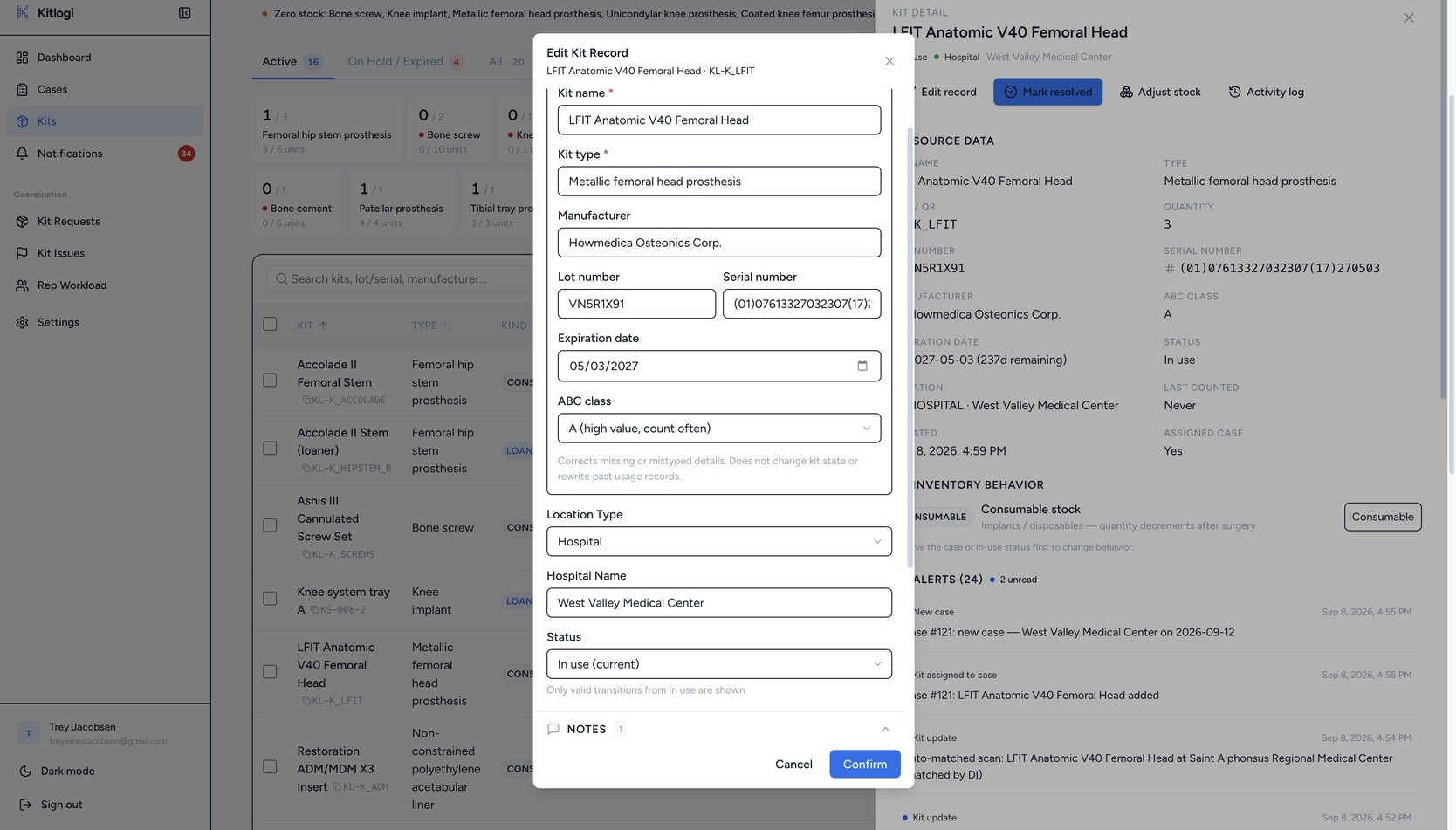
Swipe to pan · tap to enlarge
Kitlogi is built for medical-device reps, distributors, and the office teams that keep their cases covered.
Your day starts with cases, not spreadsheets. See what each case needs, scan kits as they move, and mark the case complete when you walk out of the OR.
Build cases, assign kits and reps, and watch readiness update live. When something needs a decision, it lands in your review queue — not your voicemail.
| The old way | With Kitlogi |
|---|---|
| “Where’s the kit?” texts at 5 AM | One search shows office, hospital, or field |
| Call the rep to double-check the shelf | Scan it once — everyone sees it |
| Typing serial numbers into a spreadsheet | One UDI scan captures the whole record |
| Finding out in the OR hallway | Blockers flagged days before surgery |
| Spreadsheet says “in stock” | The case says “Ready” |
| End-of-day spreadsheet reconciliation | Reps log surgery usage from their phone |
| Rep notes, office notes, and no shared truth | Reps and offices work one shared record |
A spreadsheet says “in stock.”
Kitlogi says “case ready.”
| Capability | Spreadsheets | Kitlogi |
|---|---|---|
| Real-time kit location | Manual updates | Live: office, hospital, or field |
| Lot, serial, expiration capture | Typed by hand | Auto from UDI scan |
| Case readiness status | Guesswork | Ready / not ready / missing items |
| Offline scanning | No | Yes — PWA with offline replay |
| Audit trail | Version history at best | Full movement history per kit |
| Consume vs. return tracking | Manual reconciliation | Per-item disposition |
| Multi-rep coordination | Group texts and calls | Shared system, real-time |
Kitlogi speaks GS1 barcodes and checks the FDA AccessGUDID database, so scanned devices identify themselves.
The rep app is a phone app — scan in a hospital basement, update from the car, no laptop required.
A scan in the field updates the office dashboard in seconds. No syncing, no end-of-day uploads.
Cases — not shelf counts — are the unit of truth. Every kit connects to the surgery it serves.
If your team can scan a barcode, they can run Kitlogi. Import your inventory and start the same day.
Kitlogi tracks kits and cases — not patients. There is no patient field anywhere in the product.
Cases are tracked by number, surgeon, hospital, and kits. Patient identifiers have no field in Kitlogi, by design.
Kitlogi has no fields for patient names, DOBs, or MRNs. Data the product never collects can’t be exposed by it.
Every query runs behind Postgres row-level security, so reps see their territory and offices see their company. Accounts can require multi-factor sign-in.
Stock adjustments, approvals, and rejections are written to an audit log — decisions stay traceable. Kitlogi is designed not to store PHI, and we provide no business associate agreement.
Limited founding spots available. Get early access, lock in your pricing, and help shape the product. Your first 14 days are free.
See your next case in Kitlogi. Setup takes about 15 minutes, and your 14-day free trial starts the moment you’re in.
Card required. Cancel anytime.
Already have a team? Talk to us →